

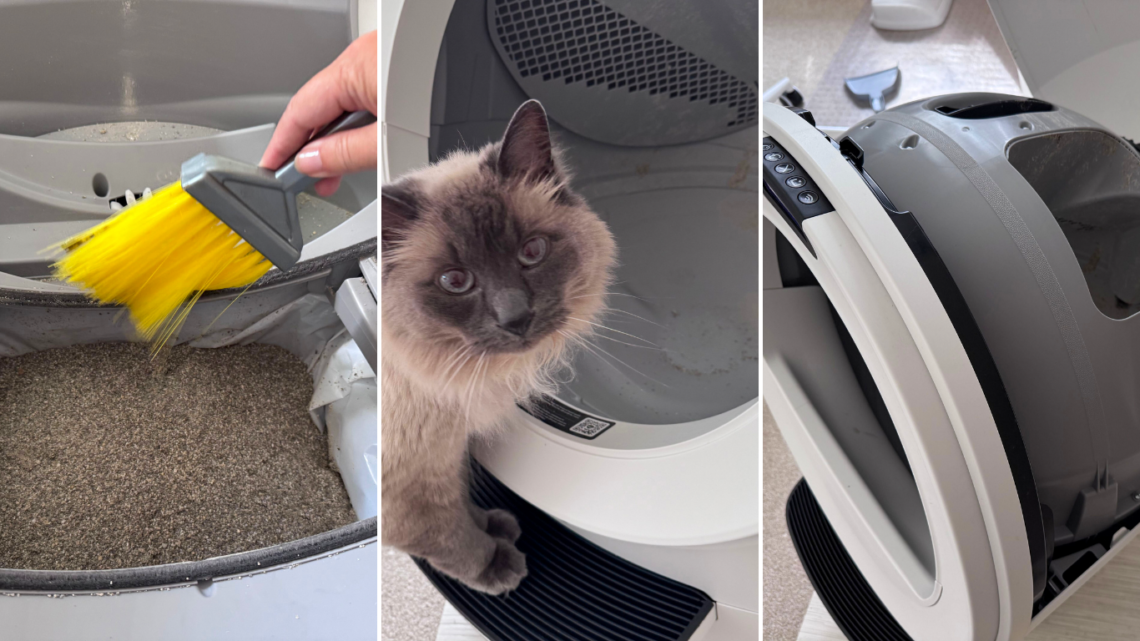
I’ll be honest right out of the gate: I put off my first Litter-Robot deep clean for far too long. Not because I didn’t know it needed doing, but because I was scared. I had this picture in my head of pulling the whole thing apart, ending up with a pile of plastic and a confused cat, and never getting it back together again. Kind of like those kids who pull their parent’s car apart in shop class and never get it put back together again.
If that’s you right now, staring at a self-cleaning litter box that has quietly become the least clean thing in your house, this guide is for you. I finally did the deep clean on my Litter-Robot 5 Pro, with Milo supervising every step, and it was nowhere near as scary as I’d built it up to be.
What follows is the version of the instructions I wish I’d had. The official Whisker steps, yes, but also the tricks real owners have figured out that make the whole job faster, cleaner, and a lot less intimidating. Whatever unit you own, from the Litter-Robot 4 to the 5 Pro to the EVO, the process is nearly the same, and I’ll flag where it differs.
If you’ve been avoiding this job, you’re in the right place. Grab a bag, a brush and a hose (or a bathtub) and I’ll walk you through it.
How I Put This Guide Together
This guide combines Whisker’s official deep-cleaning documentation for the Litter-Robot 4, 5, 5 Pro and EVO with my own first deep clean of a Litter-Robot 5 Pro and the collected tricks of long-term owners. I read through hundreds of owner comments from the Litter-Robot community, watched six full walkthrough videos covering the 4, 5 and 5 Pro, and cross-checked every tip against what Whisker actually says.
Where an owner tip and the official manual disagree, I defer to Whisker. Where the manual goes quiet, which it does in a few surprising places, owners have filled the gap and I’ve said so.
What “Deep Clean” Actually Means (Three Levels)
There are three different jobs that owners all call “deep cleaning,” and they take very different amounts of effort. Knowing which one you need is half the battle.
Level 1: The in-place wipe. Empty the litter, spray the inside of the globe, wipe it down, refill. The globe never leaves the base. Takes 10 to 15 minutes. Good for a monthly refresh, but it misses everything underneath.
Level 2: The globe-out clean. This is what Whisker means by “deep cleaning.” Bonnet open, globe lifted out, filter swapped, globe washed, base vacuumed and wiped. Takes 30 to 60 minutes once you’ve done it before. This is the one this guide teaches, and it’s the one that actually fixes smells.
Level 3: The full teardown. Screws out, liner off, every cavity opened. A small number of owners do this. Most never need to. I cover what it involves near the end, along with why you probably shouldn’t start there.
If you’ve only ever done Level 1, that’s why your Litter-Robot still smells. If you’ve never done any of them, don’t panic. You’re about to.
Before You Start: What You Need
You don’t need anything fancy. Here’s what actually gets used.
• A fresh liner or white trash bag for the waste drawer
• A small hand vacuum or a vacuum with a crevice tool for stray litter in the base
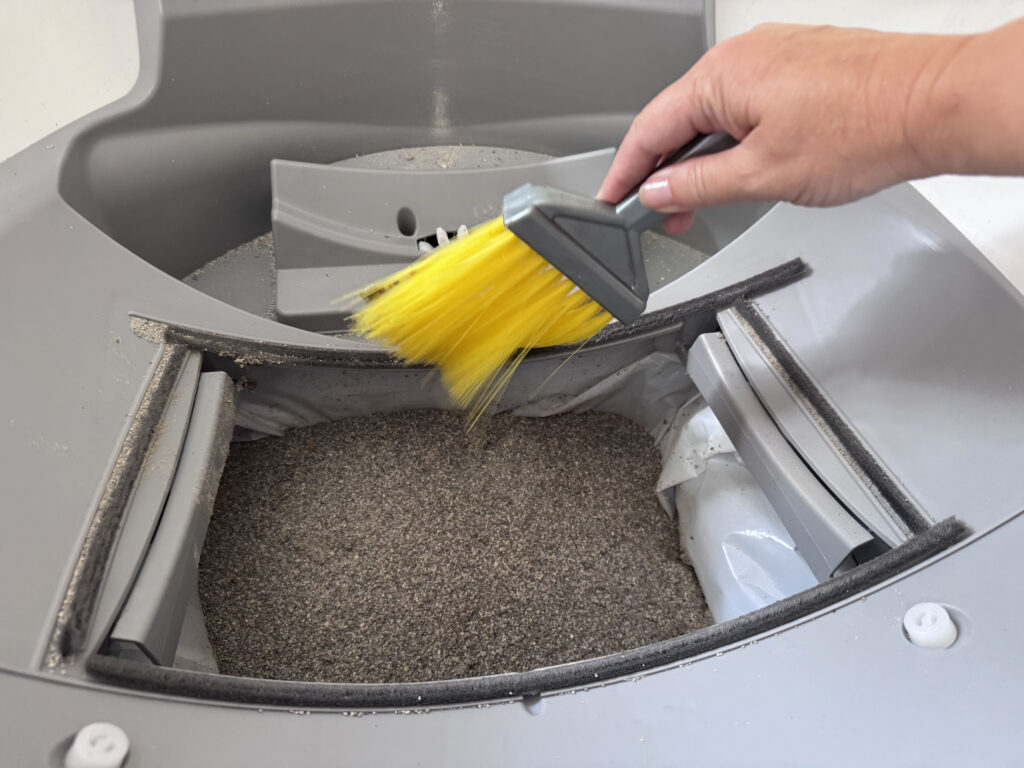
• A little hand broom (this was my secret weapon for the base)
• A cleaner: Whisker Cleaner Spray or Wipes, or plain mild dish soap and water. Both are officially approved.
• An old dish brush or soft toilet brush that lives with the litter box from now on
• A bucket or plastic cup for rinsing if you’re working indoors
• Old towels you’re happy to retire to litter box duty
• Somewhere to rinse the globe: a hose outside, a bathtub or a utility sink
Put the fresh bag in the waste drawer before you press Empty, not after. The globe dumps all the old litter into the drawer, and you want it landing in a bag you can lift straight out, not a bare drawer you then have to scrape.
The Deep Clean, Step by Step
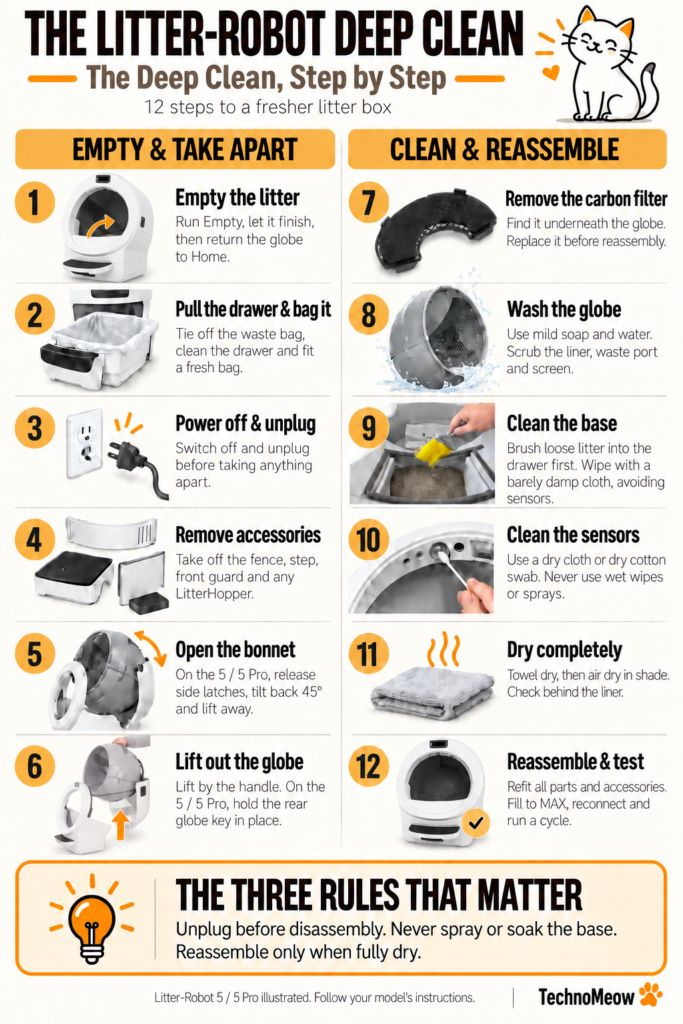
The Litter-Robot deep clean follows the same sequence on every current model: empty the litter, remove the drawer, unplug, open the bonnet, lift out the globe, swap the carbon filter, wash the globe, clean the base dry, dry everything completely and reassemble. Here it is in plain English.
Step 1: Empty the litter
Press Empty on the control panel (or in the Whisker app). The globe rotates past its usual stopping point and dumps everything, clean and dirty, into the waste drawer. On the Litter-Robot 5 and 5 Pro it spins the opposite direction from a normal cycle so litter doesn’t jam against the filter. Let it finish.
While the globe is parked in the empty position, use a scoop or your gloved hand to nudge any stuck clumps toward the waste port so they drop into the drawer too. Then press Reset (or the equivalent on your model) so the globe returns to Home.
Step 2: Pull the drawer and bag it
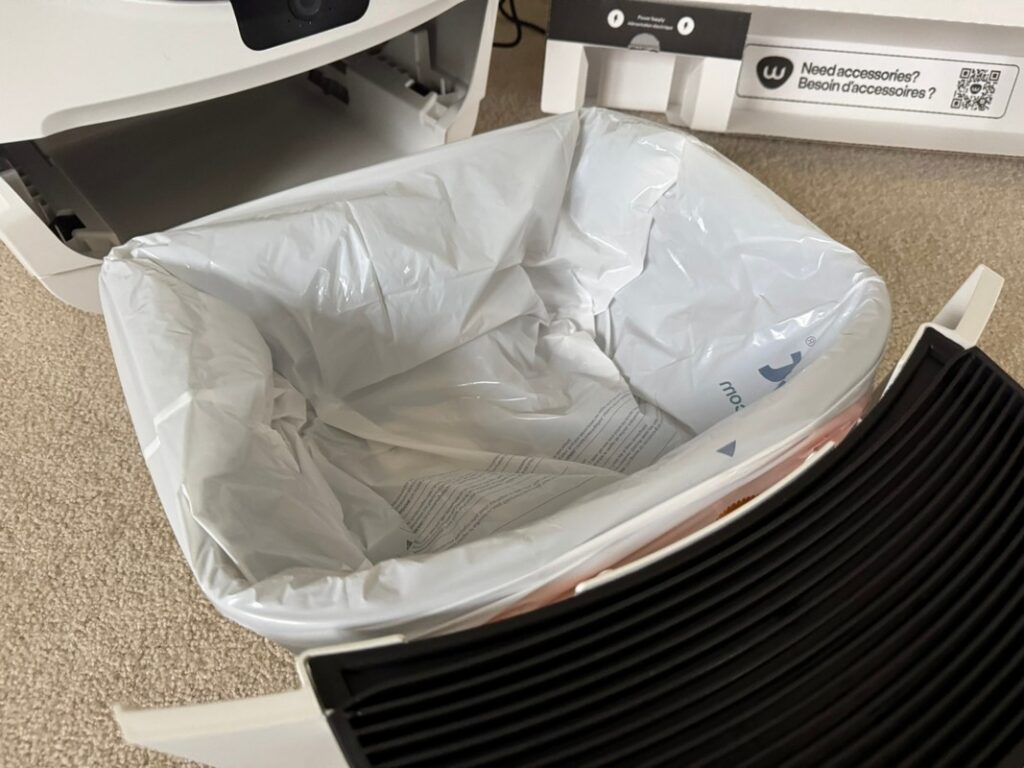
Slide out the waste drawer and lift the bag out. Tie it off. Vacuum or wipe the drawer itself, because a surprising amount of litter dust ends up in the corners. Put a fresh bag in.
Step 3: Power off and unplug
Turn the unit off and unplug it from the wall. Don’t skip this. The globe won’t move on you mid-clean, and you’re about to be near the sensors.
Step 4: Remove the fence and any accessories
If you have a fence, step, front guard or LitterHopper installed, take them off now. On the 5 Pro, the front guard has to come off before the globe will release. I watched someone struggle with this on video for a solid minute before figuring it out.
Step 5: Open the bonnet
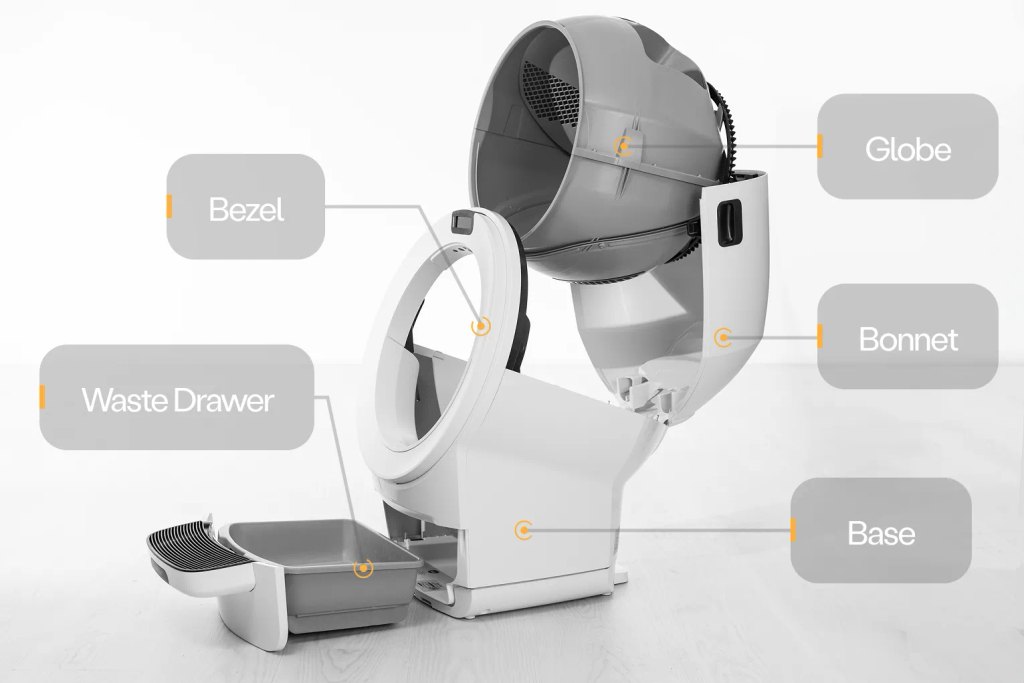
On the Litter-Robot 4, press and hold the buttons on both sides and rotate the bonnet up and back. On the 5 and 5 Pro, use the side latches and rotate it to about 45 degrees, then lift it away. It won’t come off from the fully open position, which confuses a lot of people. On the EVO, use the side handles and remove it completely.
The screen or light will tell you the bonnet has been removed. That’s normal.
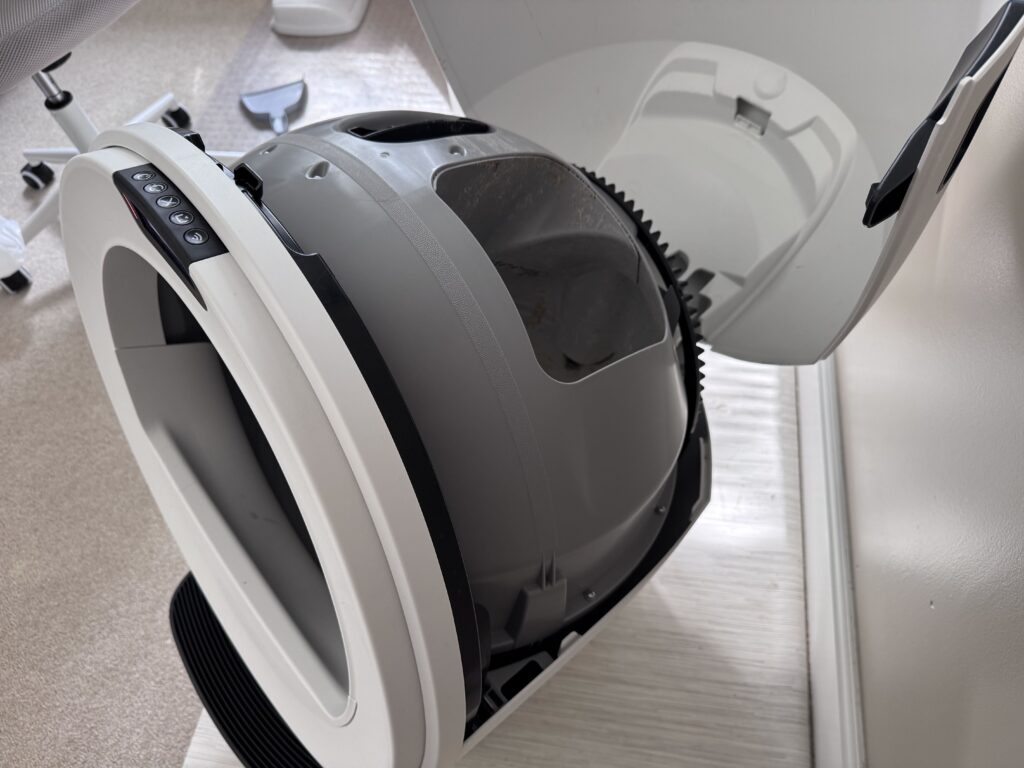
Step 6: Lift out the globe
Grab the handle on top and lift straight up. This is the moment I’d been dreading, and it turned out to be the biggest non-event of the whole job. The globe is much lighter than it looks and comes out cleanly.
On the 5 and 5 Pro, hold the globe key at the back as you lift so it doesn’t drop into the drawer. On the EVO, pull the bezel off first, then lift by the rib at the top of the globe entrance.
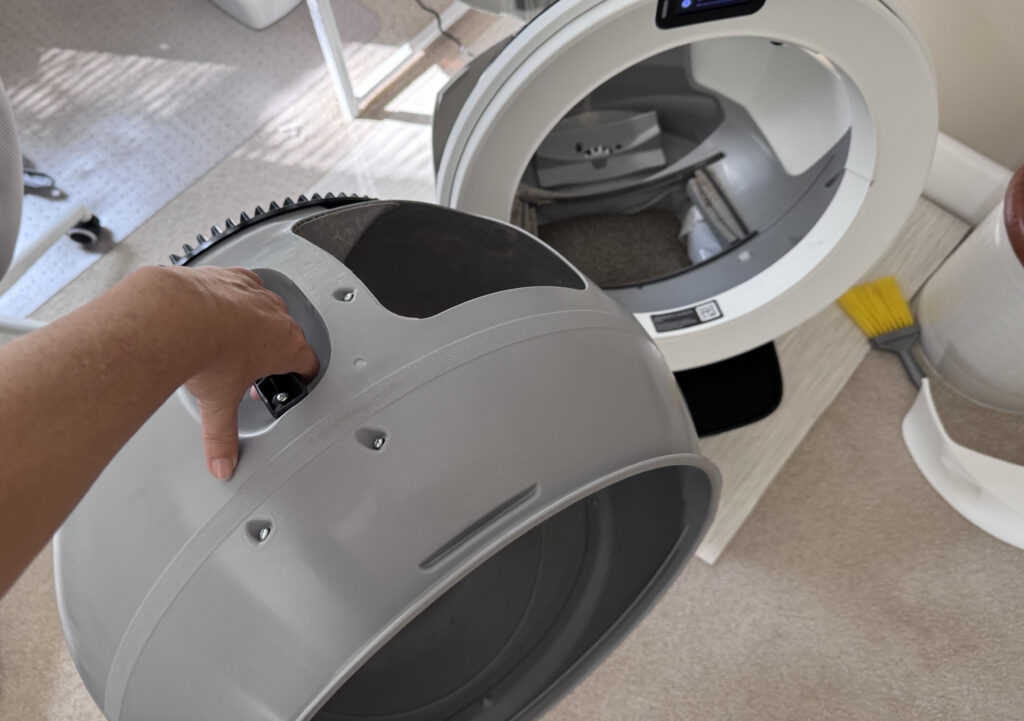
Step 7: Find and remove the carbon filter
The carbon filter sits on the underside of the globe on the Litter-Robot 4, 5, 5 Pro and EVO. On the 4, push the top edge of the filter down to free it from its hooks. On the 5 and 5 Pro, flip the globe over and remove the filter holder, then the filter. On the EVO, slide the filter and cover out.
I completely missed the filter on my first pass. It's tucked farther down and deeper in than you'd expect, and nothing about the globe says "there's a filter here." Flip the globe fully upside down and look for the rectangular cover. If your Litter-Robot smells and you've never touched this, you've just found the reason.
Whisker says a filter lasts roughly a month under normal use. Change it now while the globe is out, because it is far easier to reach with the globe empty than with the globe full.
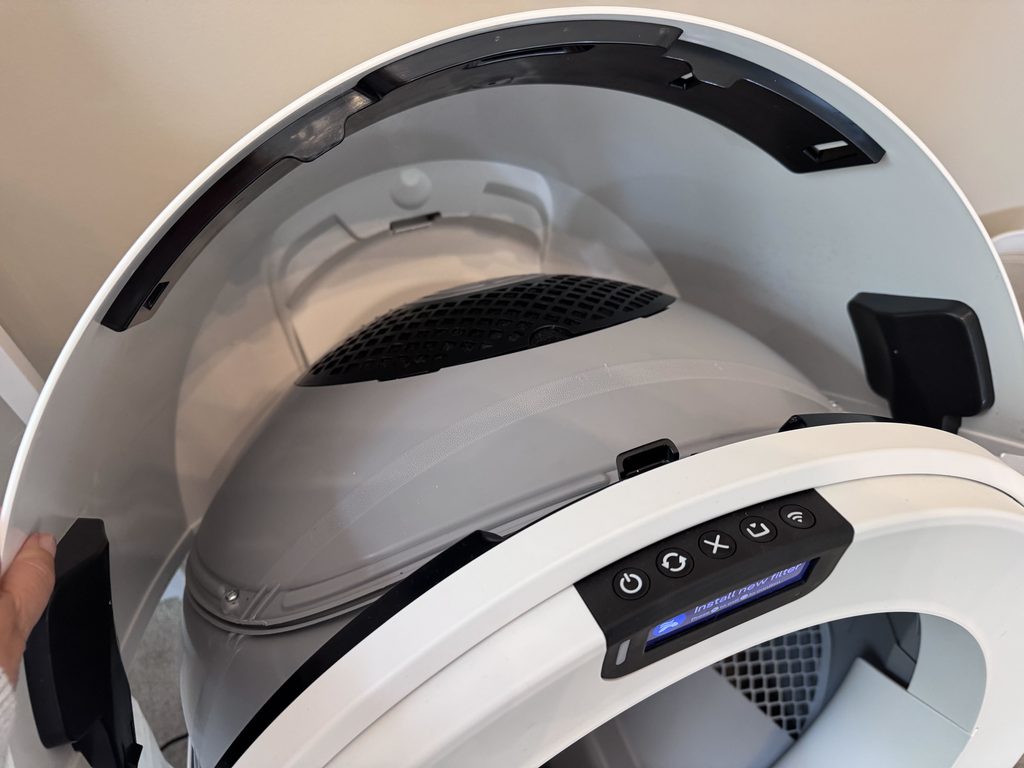
Step 8: Wash the globe
Here’s the sentence that took all the fear out of it for me, straight from Whisker: there are no electronic components in the globe that can be damaged by soap and water. You can soak it, scrub it, hose it down. It’s a big plastic bowl.
Spray it with cleaner or soapy water and let it sit for a minute before you scrub. Almost nobody waits, and the people who do report barely having to scrub at all. Get into the liner, the waste port and the area where the sifting screen is, since that’s where the crust builds up.
I took mine outside to the driveway and used the jet setting on the hose. Anything that had hardened came right off with real water pressure. If you don’t have a yard, skip ahead to the no-hose section, because there are good options.
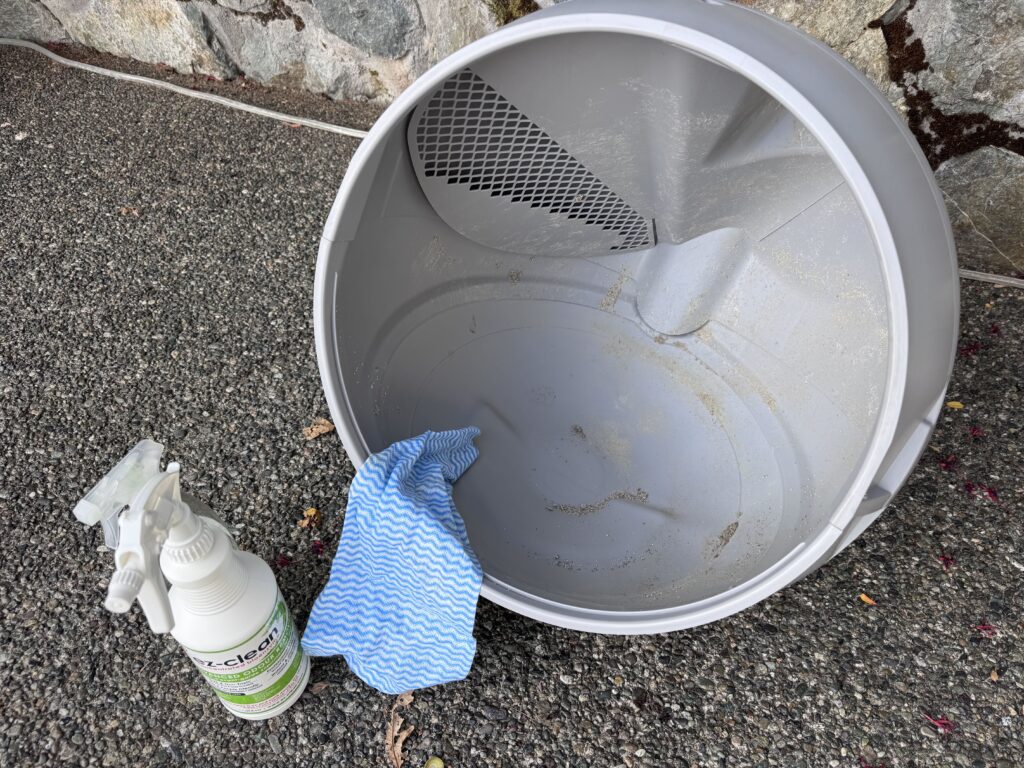
Step 9: Clean the base without getting it wet
The base is where all the electronics live. Whisker’s rule is clear: never submerge, spray or soak the base or the control panel. Spray your cloth, not the machine.
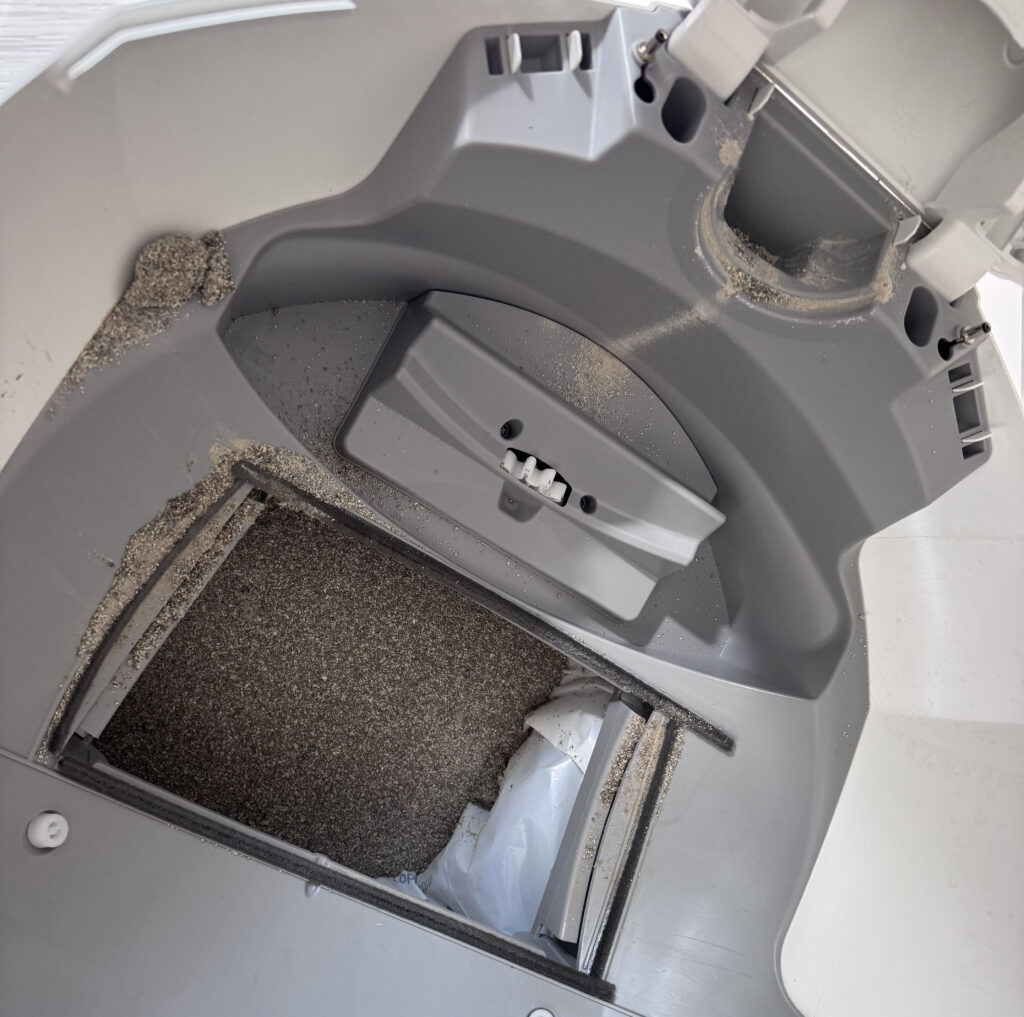
Vacuum first. When I pulled the globe out I was surprised by how much loose litter was sitting in the base. A hand broom to gather it and a small hand vacuum to lift it worked perfectly. Then tilt the whole base forward over a bin and let whatever fell through the cracks drop out the bottom. Finish with a damp cloth around the rim, avoiding the sensors and seals.
Step 10: Check the sensors
On the Litter-Robot 4, the three laser “curtain” sensors are in the top of the bezel. Whisker’s official cleaning method is a dry cloth on the bezel, a vacuum with a brush attachment passed over the sensor holes, a dry cotton swab on the lens surfaces and compressed air if something’s lodged in there. Nothing wet, ever.
On the 5 and 5 Pro, wipe the sensors and cameras at the top of the base with a dry cloth. Dust on these is what causes phantom “cat detected” pauses.
Step 11: Dry everything completely
This is the step everyone rushes, and it’s the one that causes the most problems afterward. Whisker’s warning is blunt: wet litter clumps and jams the system. Put the globe back damp and your first few cycles will be a mess.
Towel it, then let it air dry somewhere shaded and breezy. More on faster drying below.
Step 12: Put it back together
Set the globe back in the base. On the 4, hold it by the handle and lower it so the handle and waste port face up. On the 5 and 5 Pro, make sure the globe key is in the back of the globe with the rectangular opening facing up, hold it in place, lower the globe and let the key drop fully into its pocket. The large black gear on the back of the globe should engage the small drive gear in the base with no force.
Pay attention to the position of the globe when you set it back in. I got mine slightly off the first time and it simply didn't sit right. There's no way to break anything by getting this wrong. The globe only seats properly in one orientation, and the base won't run until the bonnet latches over a correctly seated globe. If it's off, lift and rotate one notch.
Close the bonnet with light pressure on the sides so it hugs the globe, then press down on top until you hear it click. Slide the drawer in. Plug in, power on, refill litter to the MAX line and press Cycle once. A solid white light (blue on the 4) means you’re done.
What’s Different on Your Model
The steps above are universal. Here’s exactly where each unit differs, so you’re not guessing halfway through.
| Step | Litter-Robot 4 | Litter-Robot 5 / 5 Pro | Litter-Robot EVO |
|---|---|---|---|
| Open the bonnet | Press and hold buttons on both sides, lift and rotate back | Side latches, rotate to about 45 degrees, then lift away (won’t release fully open) | Side handles, lift, rotate and remove completely |
| Remove the globe | Lift straight up by the black top handle | Hold the globe key at the back, lift by the handle | Pull the bezel off first, then lift by the rib at the globe entrance |
| Carbon filter | Under the globe; push the top edge down to free it from the hooks | Under the globe; flip the globe, remove the holder, then the filter | Under the globe; slide the filter and cover out |
| Filter swap without a deep clean | Long press Cycle and Empty for 3 seconds to rotate to the Dump position | Hold Cancel for 3 seconds for Filter Replacement Position, confirm on screen | Press Cycle, then Cycle again when the globe reaches the position you want |
| Sensors to keep dry | Three laser curtain sensors in the top of the bezel | Sensors and cameras at the top of the base opening | Sensors at the top of the base opening |
| Reassembly cue | Handle and waste port face up; solid blue light after a test cycle | Globe key drops fully into its pocket; solid white light after a test cycle | Zero the SmartScale with Cancel, then Cycle; solid white light |
| Empty cycle behaviour | Rotates past Dump to empty into the drawer | Spins the opposite direction so litter doesn’t jam the filter | Rotates past Dump to empty into the drawer |
If you’re still deciding which model belongs in your house, or you want to know what living with each one is actually like beyond cleaning day, check out our reviews:
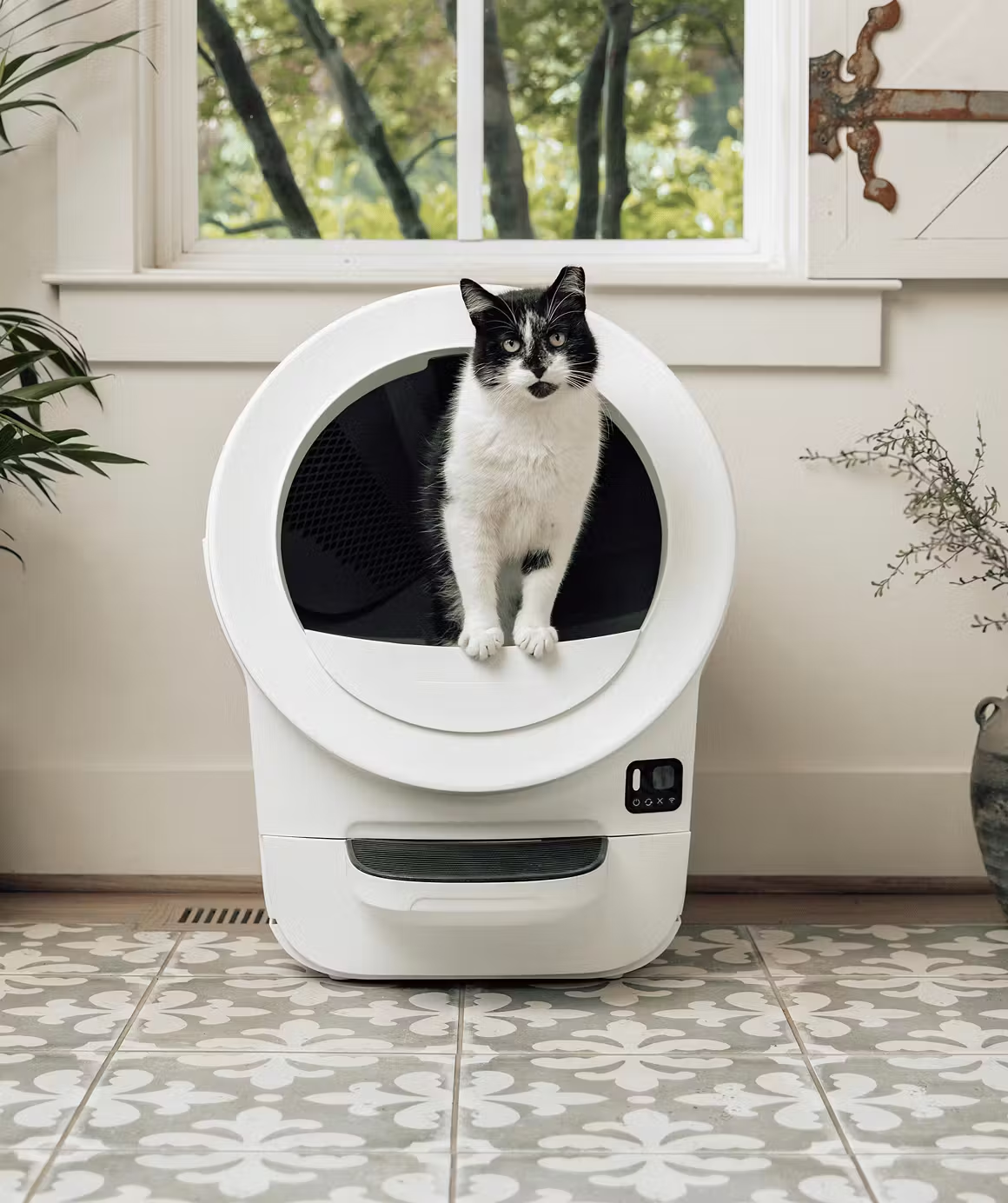
- Litter-Robot 5 Pro review: The one I own. Cameras, WasteID and the quietest cycle of the three, with a premium price to match.
- Litter-Robot EVO review: The newest of the lineup, with a fully removable bonnet that makes the deep clean a little simpler.
- Litter-Robot 4 review: The workhorse. Most owners, most years of service, and the model most of the tricks in this guide came from.
A note on the Litter-Robot 3: Whisker has discontinued the Litter-Robot 3 from direct sale and it’s no longer covered by extended warranty. If you still run one, the process is similar but the carbon filter lives in the front wall of the waste drawer rather than under the globe, and Whisker recommends a soft toilet brush for the inside of the globe. If it’s showing its age, it’s worth reading up on the current models before deciding whether to repair or replace.
My First Deep Clean, With Milo Supervising
I’d left it too long. I knew that going in. The Litter-Robot 5 Pro had been doing its job so quietly for so long that I’d stopped thinking about what was building up underneath.
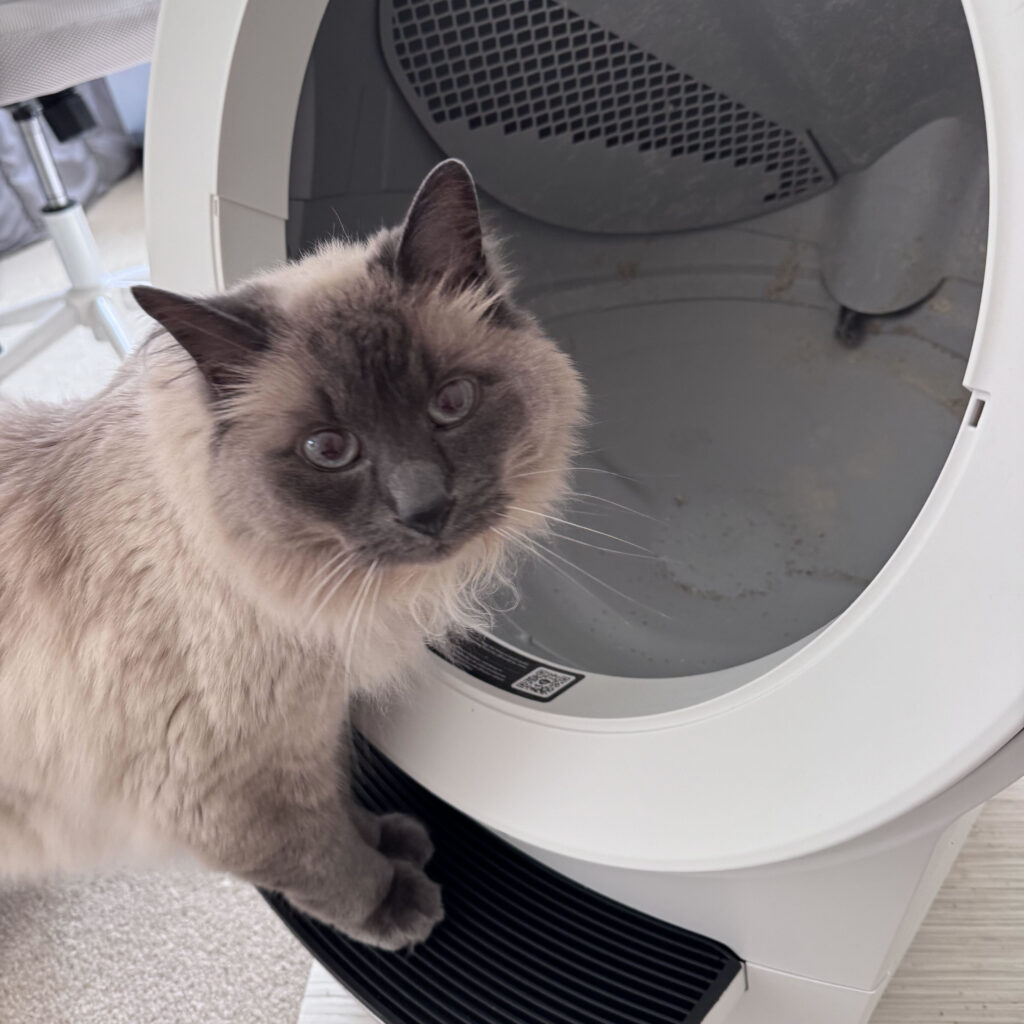
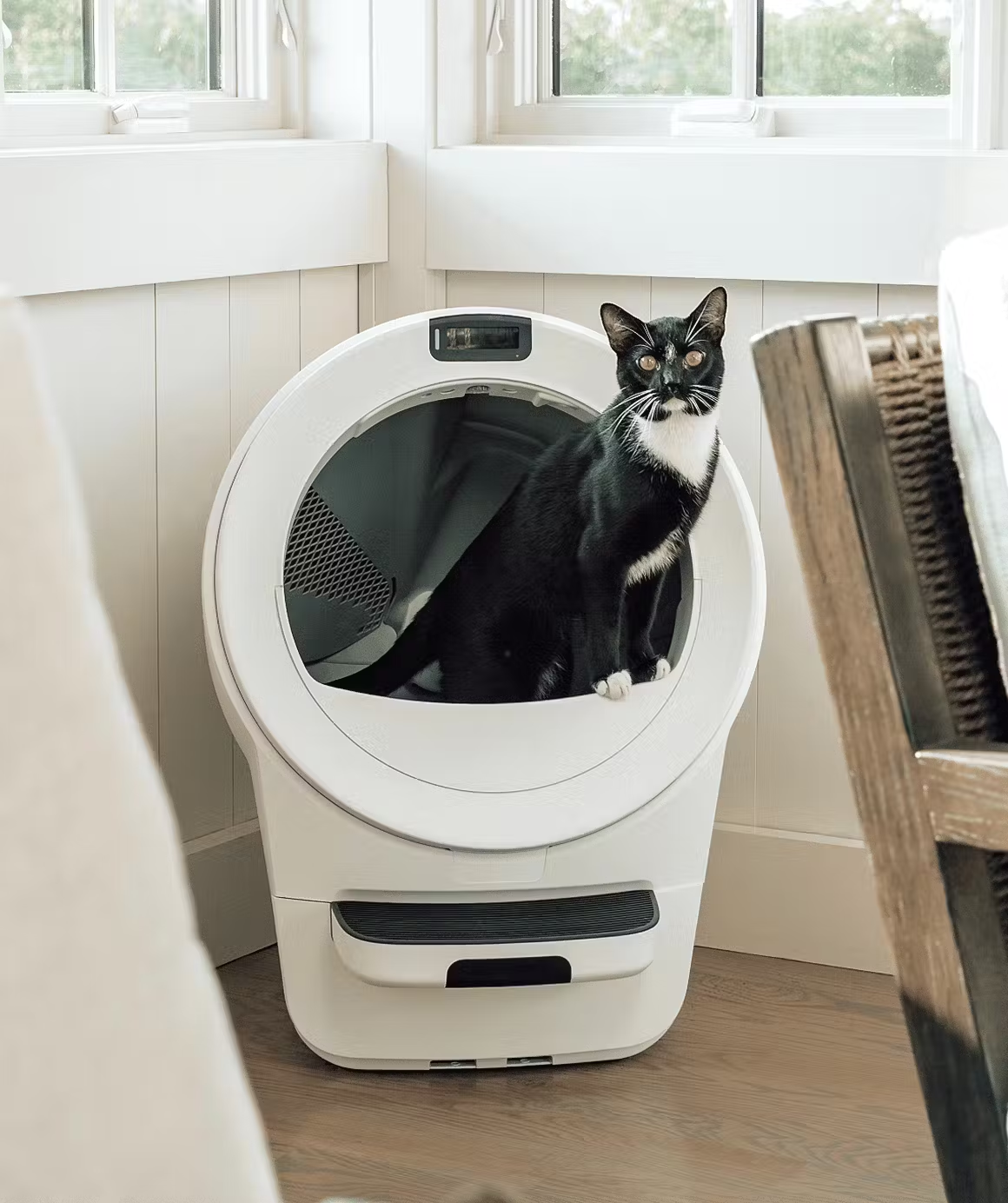
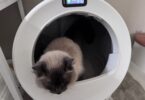
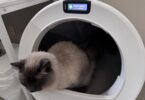
Milo was curious from the second I pressed Empty. He didn’t hide, didn’t complain and didn’t stage a protest. He sat a few feet away and watched me take his bathroom apart with the expression of a cat who has questions but is willing to wait for answers.
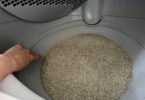
The globe came out far more easily than I’d expected. Light, clean release, no wrestling. What surprised me was how much litter had collected in the base once the globe was gone. Not gross, just a lot of loose granules in the corners and channels. Hand broom, hand vacuum, done.
I missed the filter entirely on my first pass and only found it later when I flipped the globe fully over. Lesson learned, and now it’s the first thing I check.
The hose in the driveway was the right call. A few hardened bits that a cloth wasn’t going to shift came off in seconds under real pressure. I let everything dry in the shade, set the globe back in (second attempt, correct position), closed the bonnet and heard it click. Milo was in it before I’d finished putting the drawer back.
The Tricks That Make This Way Easier
These are the things owners have figured out over years of deep cleans that the manual never mentions. I’ve grouped them by when you’ll use them.
Before you start
- Sweep the roof of the globe before the Empty cycle. Loose clumps stuck up top fall into the bag instead of ending up in your tub.
- Pull the grate, stopper and step pieces first and dump them. On the Litter-Robot 4 the drawer grate alone holds a startling amount of litter.
- Buy a second liner (or a second globe if you’re serious). Swap in the clean one, then wash the dirty one at your leisure. Your cat never waits, and you never rush the drying.
- Change the filter while the globe is out. It’s the easiest moment to reach it.
During the clean
- Let the cleaner sit for 30 to 60 seconds before you scrub. This alone cuts scrubbing time in half.
- The crusty-layer sequence: spray white vinegar, wait a minute, spray a foaming dish soap, wait a minute, brush, rinse, finish with an enzyme wipe. Owners who struggle with the hardened film on the liner swear by this order.
- A handheld steam cleaner melts the buildup off with almost no scrubbing, including on the rubber liner. Owners who’ve tried it call it the single biggest time-saver they’ve found. Use it on the globe and drawer only, well away from the base, and wear a mask because you’re steaming a litter box. If you’re buying one specifically for this, check the model number against recall lists first, since a couple of popular handheld models have been recalled.
- Keep one dish brush and one towel for litter box duty only. You’ll thank yourself.
- Tilt the base forward over a bin to empty the litter that’s fallen through the cracks. Then vacuum. Then cloth.
- Fill the globe through the top opening rather than the entrance (Litter-Robot 4). Far less spill, and far less dust landing on the sensors.
Drying faster
- A leaf blower dries the globe and the base vents in minutes. Hair dryers, according to everyone who’s tried, do almost nothing. A floor fan on the porch also works.
- Don’t dry it in direct sun. One owner’s waste-port foam shrank and warped in the sun, and the unit has creaked ever since. Shade and airflow.
- Towel behind the liner flap. If you hose the globe assembled, water sneaks behind the liner and litter clumps there during the first cycle or two. Lift the flap and get a towel in behind it.
Making the next clean easier
- A light coat of food-grade silicone spray or food-grade beeswax on the clean liner keeps clumps from sticking for a couple of weeks. This is the most-recommended fix for litter that cakes on the roof of the globe.
- Litter choice is half the battle. Owners consistently name corn-based litters as the ones that cake and cling. Clumping clay litters designed for low tracking are the ones that “barely get dirty.” Whisker recommends clumping clay.
- A handful of baking soda in each fresh bag. Cheap, and it helps.
- Empty the drawer at half full rather than waiting for the full alert. Less smearing around the waste port, less smell, less to clean next time.
- Litter-Robot 4 liner won’t drop? Owners stack a second small magnet on the existing weight with a bit of felt padding underneath. It fixes the most common LR4 liner complaint for a couple of dollars.
- Worn foam seal around the waste port? Whisker doesn’t sell that piece separately, but adhesive-backed weather stripping cut to size works.
No Yard? No Problem
You don’t need a hose to deep clean a Litter-Robot. Apartment owners have worked out several methods that get the globe just as clean, with one important warning about your drains.
- The bathtub. Shake out as much litter as you can first, then wash the globe in the tub with a bucket and cup for rinsing. Cover the drain. Clay litter will block pipes, and at least one owner’s friend found that out the expensive way. A wet/dry shop vac to slurp up the litter slurry, dumped outside, avoids the drain entirely.
- A self-serve car wash bay. Several owners do exactly this. Better water pressure than a home hose, no drain to worry about, and it’s a couple of dollars.
- The outdoor spigot. Most apartment buildings have one. A short compact hose and you’re set.
- The in-place method. If you can’t get the globe wet at all, an in-place spray-and-wipe with a vacuum for the base gets you most of the way there. Just don’t let that be the only clean you ever do.
Mistakes That Actually Damage the Machine
A Litter-Robot is hard to break during a deep clean, but there are a handful of things that do real damage. Every one of these has happened to someone.
- Getting the base wet. No spraying, no soaking, no hosing the whole unit. The base is where the motor, scale and sensors live.
- Bleach in the globe. Whisker prohibits bleach or bleach-based cleaners inside the globe because of the fumes. Mild soap and water, or the Whisker cleaner.
- Wet wipes or sprays on the laser sensors. Dry cloth, dry swab, brush-attachment vacuum, compressed air. That’s the official list.
- Reassembling while damp. Wet litter clumps and jams. Wait.
- Drying in direct sun. Warped foam, permanent creak.
- Over-disassembling. The long-term owners are consistent on this: the more often you take things apart, the more likely something eventually breaks. Level 2 is enough for almost everyone.
- Button-mashing to clear an error after reassembly. If you get an error, follow the on-screen or in-app prompt. Random button presses can knock out the scale calibration.
How Often Should You Really Deep Clean?
Whisker’s official baseline is a basic globe clean every 1 to 3 months and a full deep clean at least every 3 months for a single cat. For the Litter-Robot 5 family Whisker publishes a cat-count schedule: two cats every 2 to 3 months, three cats every 2 months, four or five cats monthly.
That said, long-term owners will tell you the honest answer is “it depends on three things.”
- Your cat. A cat who pees high on the globe wall, or does the slow “elevator” lift while going, leaves liquid above the liner where litter can’t absorb it. Those households deep clean far more often.
- Your litter. Messy, clingy litter means monthly. Clean-sliding clumping clay can stretch to a season.
- Your climate. Hot and humid means smells and buildup arrive faster.
There’s also a quiet camp of very long-term owners who almost never deep clean and argue that the film of litter dust on the liner is exactly what makes clumps release cleanly. There’s something to that. But the Litter-Robot 4 and 5 are less forgiving of neglect than older models, and the smell that builds behind the filter isn’t something a wipe-down reaches. Every 3 months is a good rhythm. If it smells before then, that’s your signal.
Still Smells After a Deep Clean? Check These
If a Litter-Robot smells after a full deep clean, the cause is almost always one of five things, and most of them aren’t the litter.
- The carbon filter is overdue (or was never changed). The most common cause by far.
- The drawer is being left until completely full. Waste smears around the port. Empty at half.
- Urine has reached the base. A high-peeing cat can get liquid into the crevices around the waste port, which a globe clean never touches. Vacuum, then a damp (not wet) cloth with enzyme cleaner.
- The seal strips are flattened or missing. Replace them.
- A permanent stain in the liner. After a few years a liner can hold odour no matter what you do. Liners are replaceable, and swapping one is easier than it sounds.
Going Further: The Full Teardown (And Why You Probably Shouldn’t)
A full teardown means unscrewing the globe halves, removing the liner and the sifting screen, and opening the cavity behind the waste port where years of wet-then-dried litter can sit. A few owners do this, and their reports are consistent: it isn’t difficult, just tedious.
The screws are all the same length. The parts only fit together one way. All you need is a Phillips screwdriver (a magnetic one, so you don’t lose screws in the litter) and a flat-head to pop the liner clip. Disassembly and reassembly run about 15 minutes each once you know the way. The Litter-Robot 4 has no globe magnets to worry about, which makes it easier than the 3 was.
But I have two honest cautions. First, opening the globe may affect your warranty, so check before you start. Second, the owners who never go this far and the owners who do both report machines that run fine. If a proper Level 2 clean gets rid of the smell, you don’t need Level 3. Save it for a liner replacement, when the globe is coming apart anyway.
FAQs
Is it safe to hose down a Litter-Robot globe?
Yes. Whisker confirms there are no electronics in the globe, so it can be soaked, scrubbed or hosed. The base is the opposite: never spray or soak it.
- The waste drawer is also safe to wash
- Dry both completely before reassembling
- Keep the hose away from the bonnet’s sensor contacts
Can I put the Litter-Robot globe in the dishwasher?
No. It doesn’t fit, it isn’t designed for it and, as the owner community will tell you with some feeling, you don’t want a litter box near your dishes. Soap and water by hand.
Where is the carbon filter on the Litter-Robot 4 and 5?
Underneath the globe, in a slot on the lower exterior, sitting directly above the waste drawer. On the 4, push the top edge down to release it. On the 5 and 5 Pro, flip the globe and remove the filter holder. On the older Litter-Robot 3 it’s in the front wall of the waste drawer.
- Whisker’s guidance is roughly one filter per month under normal use
- Change it whenever the globe is out
- OdorTrap packs can be used in place of the carbon filter
Can I use vinegar to clean a Litter-Robot?
Many owners do, especially for the hardened layer on the liner. Whisker’s official list is its own cleaner spray and wipes, or mild soap and water, and it specifically prohibits bleach. Vinegar is a common owner choice; rinse thoroughly and let it dry fully so the smell dissipates.
How do you clean the Litter-Robot 4 sensors without breaking them?
Dry only. Wipe the bezel with a dry cloth, pass a vacuum brush attachment over the sensor holes at the top of the bezel, and use a dry cotton swab on the lens surfaces. Compressed air is fine for lodged fur or dust.
- Never use wet wipes or sprays on the lenses
- Unplug the unit first
- Run a test cycle afterward
Will my cat refuse the Litter-Robot after a deep clean?
Almost never. Most cats, Milo included, treat a freshly cleaned globe as an invitation and use it within minutes. If your cat is very sensitive, keep a small backup box out for a day.
How long does a Litter-Robot deep clean take?
Plan 30 to 60 minutes the first time, less after that. The washing is the longest part. Drying time is separate, which is why a second liner or globe is such a popular upgrade.
Does deep cleaning fix the litter sticking to the globe?
Usually yes, at least for a while. A clean liner releases clumps far better, and a light coat of food-grade silicone or beeswax afterward extends that. If the liner is several years old and permanently worn, replacing it is the real fix.
Do I need to unplug the Litter-Robot before cleaning?
Yes, before opening the bonnet. It stops the globe from moving and protects the electronics while you’re working around the base.
Our Verdict
Deep cleaning a Litter-Robot is a 20 to 50 minute job that almost anyone can do, and the fear of taking it apart is far worse than the reality. The globe lifts out, the base stays dry and everything seats back into place one way only.
The one thing to get right is the carbon filter under the globe, because it’s the part most owners never find and it’s where the smell lives.
If you’ve been putting this off, pick a shady afternoon, follow the twelve steps above and let your cat supervise. Mine did, and he was back in the box before I’d finished tightening the drawer.
Final Thoughts
I went into this convinced I was going to break something. I came out of it thinking, “Wait, that was it?” The whole job was less effort than a single week of scooping a traditional box, and the Litter-Robot 5 Pro ran like new afterward.
Bottom line: the deep clean you’ve been dreading is also the fix for the smell you’ve been Googling, the litter that’s been sticking and a good chunk of the sensor errors people complain about. Do it once and the fear is gone for good.
|
Most Advanced
|
Mid-Range Option
|
Most Affordable
|
|
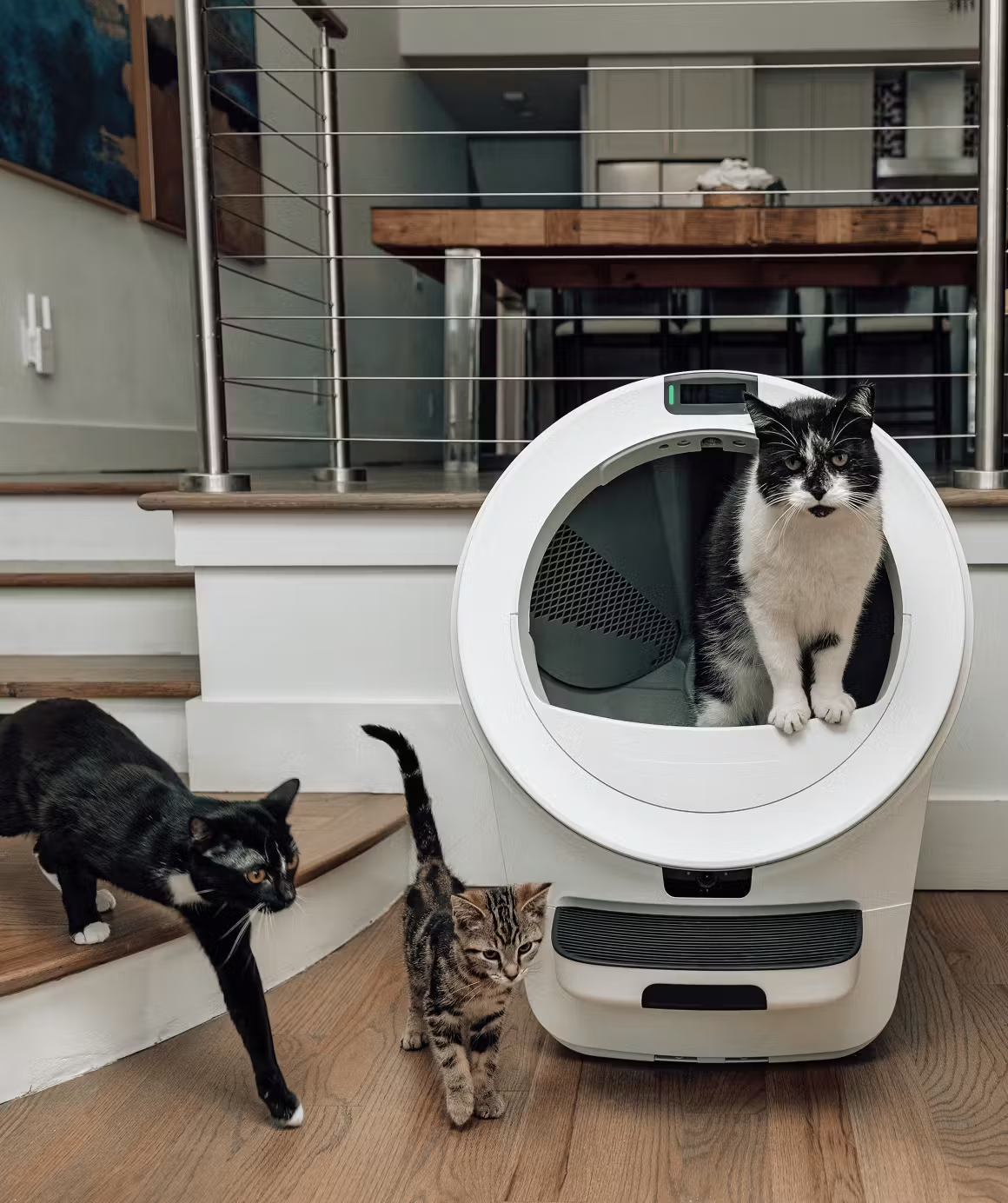
Whisker’s most advanced litter box yet. The Litter-Robot 5 Pro adds dual 1080p cameras, AI-powered cat recognition, and deeper Whisker+ insights to track bathroom habits and health trends. It’s a self-cleaning litter box that actually learns from your cat—delivering next-level convenience and peace of mind for tech-savvy pet parents. ⭐ BEST PRICE ON THE WEB⭐ SAVE UP TO $150! |
Meet the next generation of smart litter boxes. The Litter-Robot 5 features a sleek LCD display, redesigned waste drawer for fewer empties, customizable lights, and better odor control than ever. Multi-cat ready and app-connected, it’s the perfect balance of convenience, performance, and modern design for any cat household. ⭐ BEST PRICE ON THE WEB⭐ SAVE UP TO $150! |
The most compact self-cleaning litter box from Whisker, perfect for smaller homes or 1–2 cats. The EVO keeps the same reliable automatic scooping, odor control, and Whisker app connectivity you know and love—just in a streamlined design that fits anywhere. Enjoy a cleaner home, fresher air, and less daily maintenance. BEST PRICE ON THE WEB SAVE UP TO $150! |
Whisker’s most advanced litter box yet. The Litter-Robot 5 Pro adds dual 1080p cameras, AI-powered cat recognition, and deeper Whisker+ insights to track bathroom habits and health trends. It’s a self-cleaning litter box that actually learns from your cat—delivering next-level convenience and peace of mind for tech-savvy pet parents.
⭐ BEST PRICE ON THE WEB⭐
SAVE UP TO $150!
Meet the next generation of smart litter boxes. The Litter-Robot 5 features a sleek LCD display, redesigned waste drawer for fewer empties, customizable lights, and better odor control than ever. Multi-cat ready and app-connected, it’s the perfect balance of convenience, performance, and modern design for any cat household.
⭐ BEST PRICE ON THE WEB⭐
SAVE UP TO $150!
The most compact self-cleaning litter box from Whisker, perfect for smaller homes or 1–2 cats. The EVO keeps the same reliable automatic scooping, odor control, and Whisker app connectivity you know and love—just in a streamlined design that fits anywhere. Enjoy a cleaner home, fresher air, and less daily maintenance.
BEST PRICE ON THE WEB
SAVE UP TO $150!



Leave a Comment