

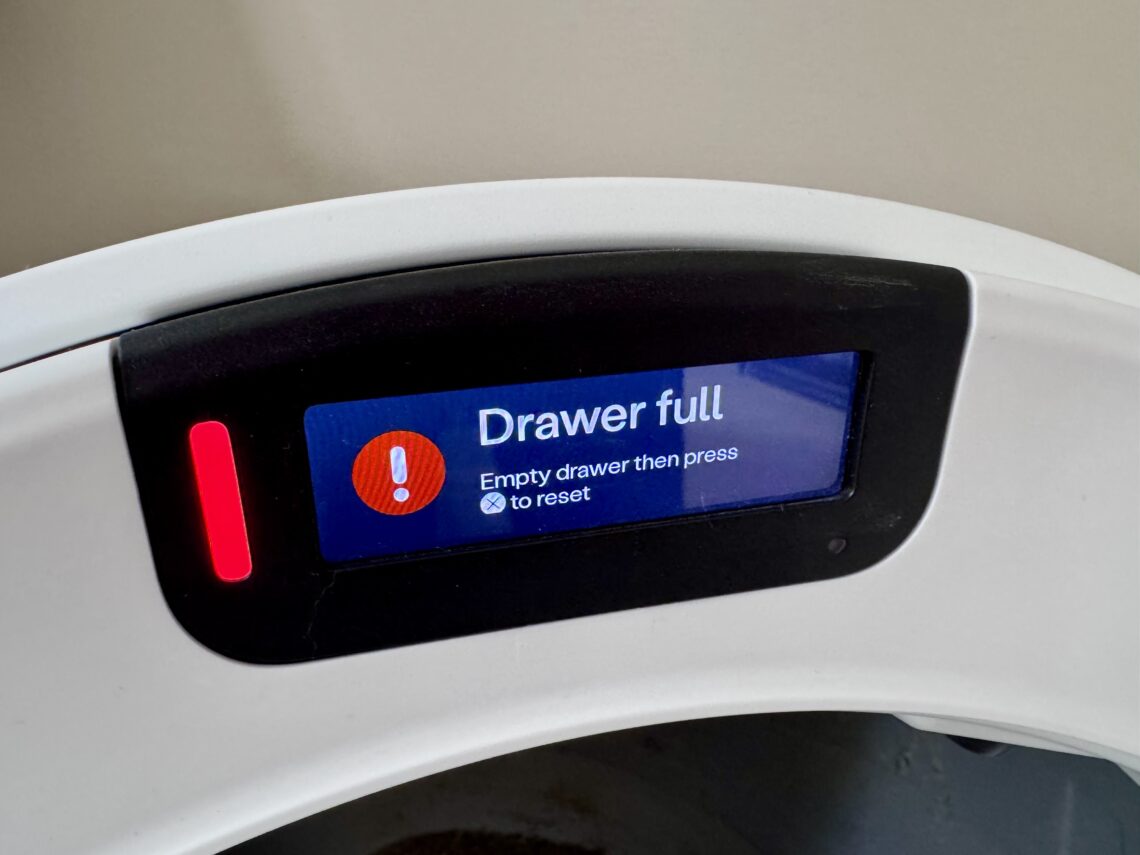
A few weeks back, Milo’s Litter-Robot 5 Pro lit up yellow at eleven at night. I stood there in my pajamas while the screen told me exactly what was happening: WiFi dropped, reconnecting. No guessing required. What it didn’t tell me was why, on that one night, after six months of nothing. That’s a different question, and almost nobody answers it.
That question sent me down a Reddit rabbit hole, and I found many owner stuck in the same spot: a light or message that told them what was wrong and nothing about why, some of them ready to pay for a full base replacement before trying a single free fix. Nobody should feel stranded over something their own unit is already half-explaining to them, and that’s really why this piece exists.
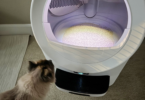
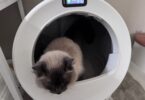
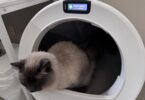
For the record: six months in, this is still the best piece of cat tech I’ve bought, and Milo, came around fast. Check out my Litter Robot 5 Pro review.
Here’s the thesis, in one sentence: Whisker’s support pages and screens tell you what a light means. This guide tells you what’s actually causing it, ranked by how often owners really find it.
Litter-Robot Error Code Wizard
LR4, LR5, LR5 Pro & EVO — find out what your light or message actually means
How We Put This Guide Together
This is months of my own experience living with a Litter-Robot 5 Pro, and a much deeper dig through Reddit threads and other owner troubleshooting communities, official Whisker support documentation, and Whisker's own warranty terms, cross-checked against each other so we weren't just repeating whatever the loudest comment said.
Where a fix is community-reported rather than something Whisker officially recommends, we say so. Where a claim affects your warranty, we flag it before we tell you how to do it, not after.
The Full Light Code Reference, By Model
These are the official meanings, straight from Whisker's own current support documentation, organized by model so you're never cross-referencing the wrong system.
|
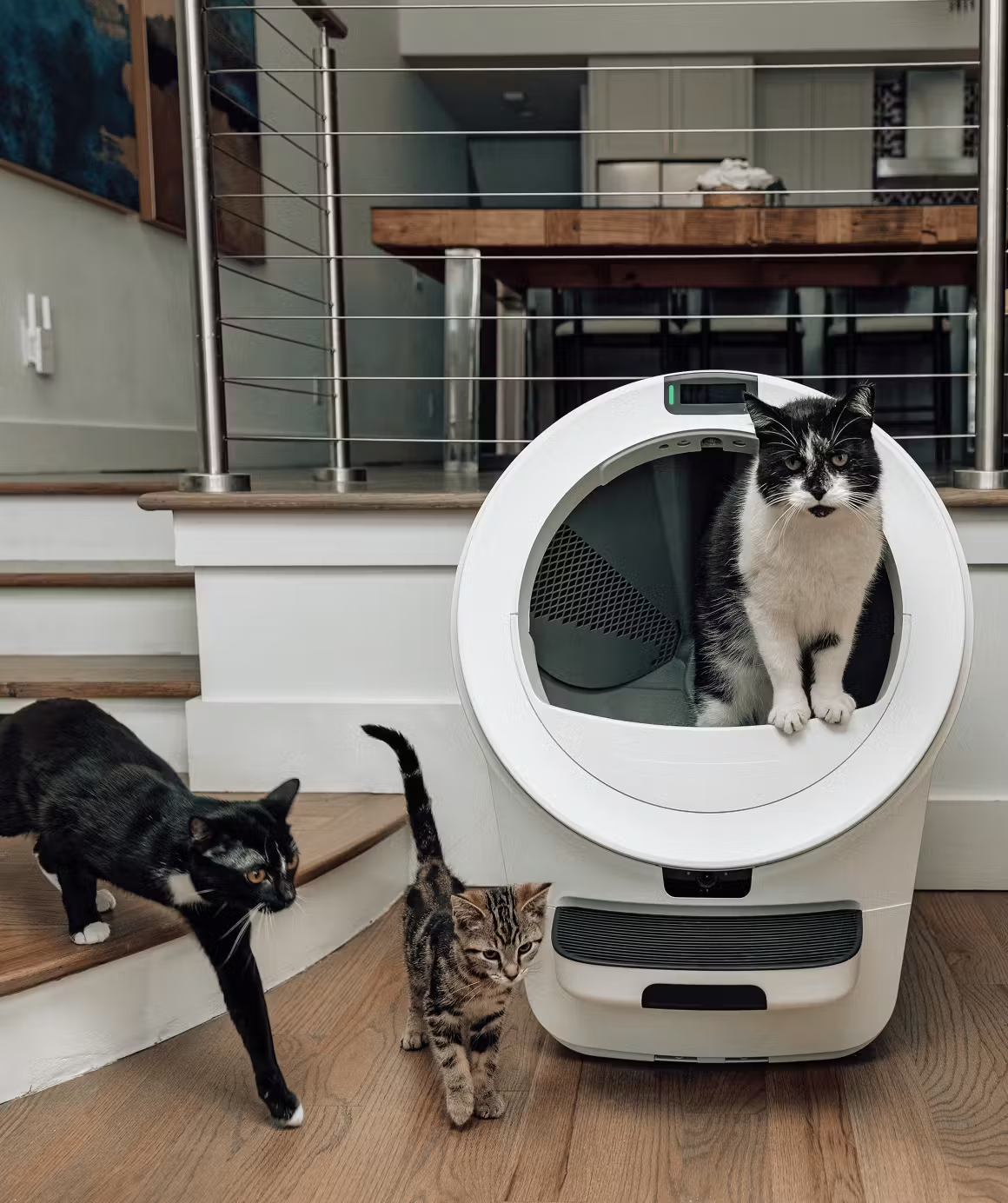
Most Advanced
|
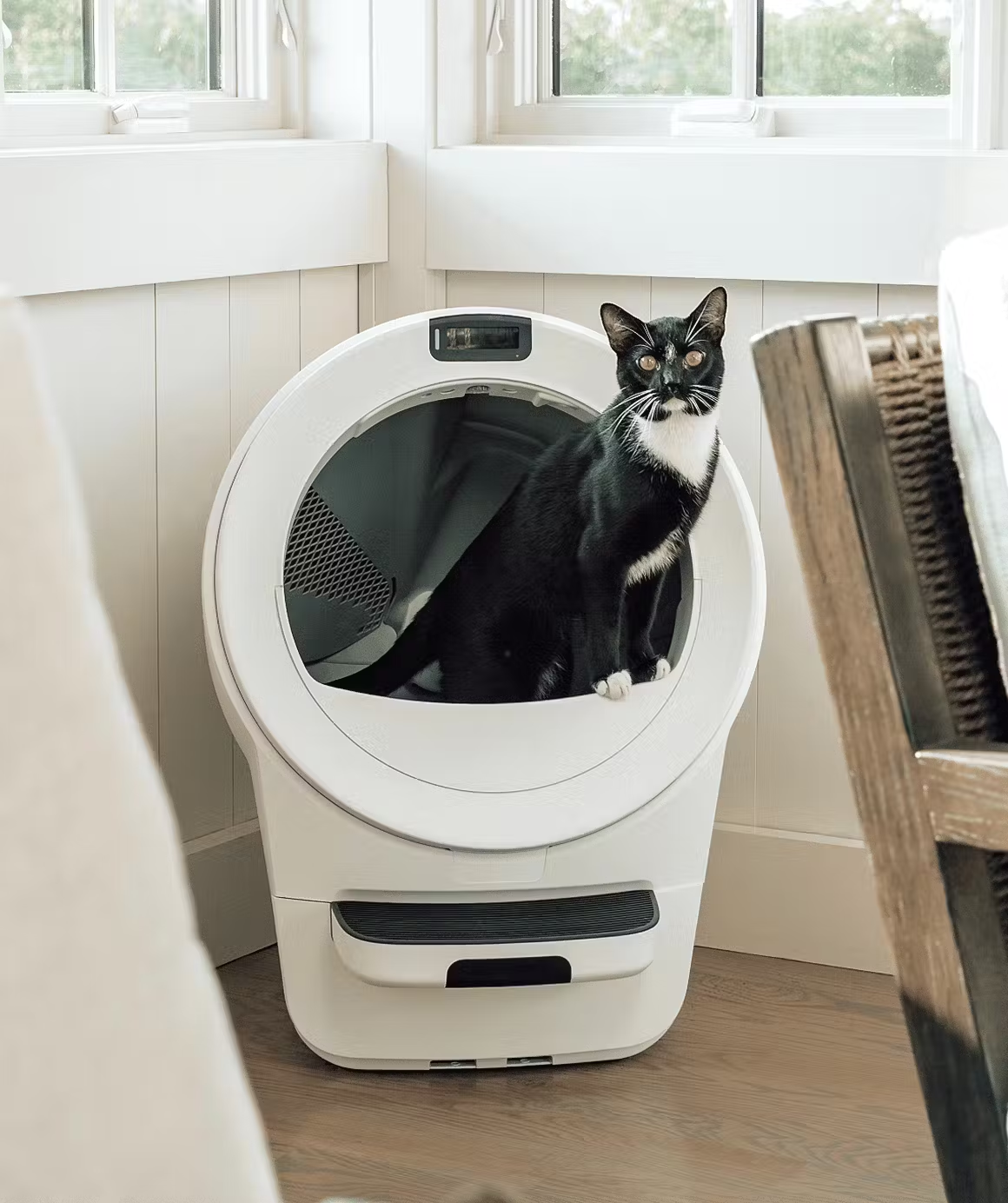
Mid-Range Option
|
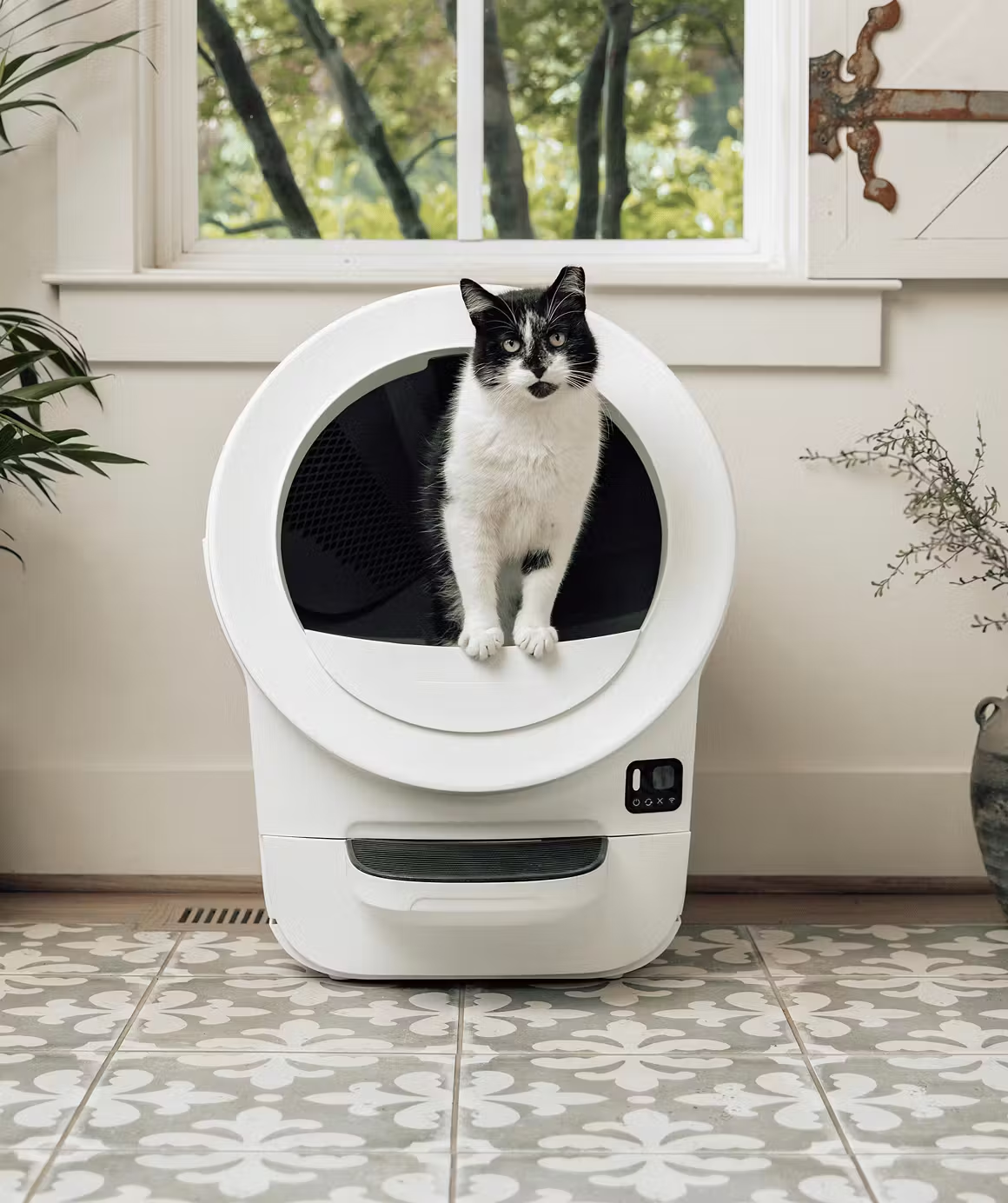
Most Affordable
|
|
Whisker’s most advanced litter box yet. The Litter-Robot 5 Pro adds dual 1080p cameras, AI-powered cat recognition, and deeper Whisker+ insights to track bathroom habits and health trends. It’s a self-cleaning litter box that actually learns from your cat—delivering next-level convenience and peace of mind for tech-savvy pet parents. ⭐ BEST PRICE ON THE WEB⭐ SAVE UP TO $150! |
Meet the next generation of smart litter boxes. The Litter-Robot 5 features a sleek LCD display, redesigned waste drawer for fewer empties, customizable lights, and better odor control than ever. Multi-cat ready and app-connected, it’s the perfect balance of convenience, performance, and modern design for any cat household. ⭐ BEST PRICE ON THE WEB⭐ SAVE UP TO $150! |
The most compact self-cleaning litter box from Whisker, perfect for smaller homes or 1–2 cats. The EVO keeps the same reliable automatic scooping, odor control, and Whisker app connectivity you know and love—just in a streamlined design that fits anywhere. Enjoy a cleaner home, fresher air, and less daily maintenance. BEST PRICE ON THE WEB SAVE UP TO $150! |
Whisker’s most advanced litter box yet. The Litter-Robot 5 Pro adds dual 1080p cameras, AI-powered cat recognition, and deeper Whisker+ insights to track bathroom habits and health trends. It’s a self-cleaning litter box that actually learns from your cat—delivering next-level convenience and peace of mind for tech-savvy pet parents.
⭐ BEST PRICE ON THE WEB⭐
SAVE UP TO $150!
Meet the next generation of smart litter boxes. The Litter-Robot 5 features a sleek LCD display, redesigned waste drawer for fewer empties, customizable lights, and better odor control than ever. Multi-cat ready and app-connected, it’s the perfect balance of convenience, performance, and modern design for any cat household.
⭐ BEST PRICE ON THE WEB⭐
SAVE UP TO $150!
The most compact self-cleaning litter box from Whisker, perfect for smaller homes or 1–2 cats. The EVO keeps the same reliable automatic scooping, odor control, and Whisker app connectivity you know and love—just in a streamlined design that fits anywhere. Enjoy a cleaner home, fresher air, and less daily maintenance.
BEST PRICE ON THE WEB
SAVE UP TO $150!
Litter-Robot 4: Light Code Reference
If you've searched anything like "litter robot 4 lights" or "litter robot 4 light codes" to land here, this table is the complete reference. The LR4's light bar has the widest range of any current Litter-Robot system, which is exactly why it causes the most confusion. Pay close attention to the pattern, not just the color.

| Light Bar Pattern | Official Meaning |
|---|---|
| Blue solid | Ready mode |
| Blue flashing | Waste drawer full |
| Blue + partial yellow flashing | Scale triggered for 30+ minutes, excess weight detected |
| Blue + yellow blinking (WiFi indicator) | Onboarding mode |
| Blue + blue blinking (WiFi indicator) | Connecting or reconnecting to the app |
| Blue + solid white (WiFi indicator) | WiFi turned off |
| Red solid | Cat sensor triggered, cat in the globe |
| Red flashing | Cat or weight detected for 30+ minutes, sensor fault |
| Red momentary flash | Control Panel Lockout Mode active |
| Red + partial white flashing | Cannot detect globe position |
| Red + partial yellow flashing | Globe jammed or overloaded, over-torque fault |
| Red ping-pong | Motion detected in the waste drawer |
| Yellow solid | Paused |
| Yellow flashing | Bonnet removed |
| Yellow ping-pong | Pinch detector activated |
| Yellow round-robin | Clean or Empty cycle in progress, this is normal |
| Purple solid | Sleep Mode |
| White middle flashing | Firmware update in progress |
| White + partial yellow flashing | Low system voltage, wrong or failing power supply |
| Green ping-pong | Curtain sensors auto-calibrating |
| Green + flashing red | Auto-calibration failed, OmniSense sensors need cleaning |
| Green + white alternating | Anti-pinch fault at power-up |
| Blue + white alternating | Motor connection issue or motor fault |
| Blue + purple alternating | LitterHopper motor error |
| Red + green alternating | Factory scale calibration lost |
| Red + blue alternating | Curtain sensors need cleaning, or laser board fault |
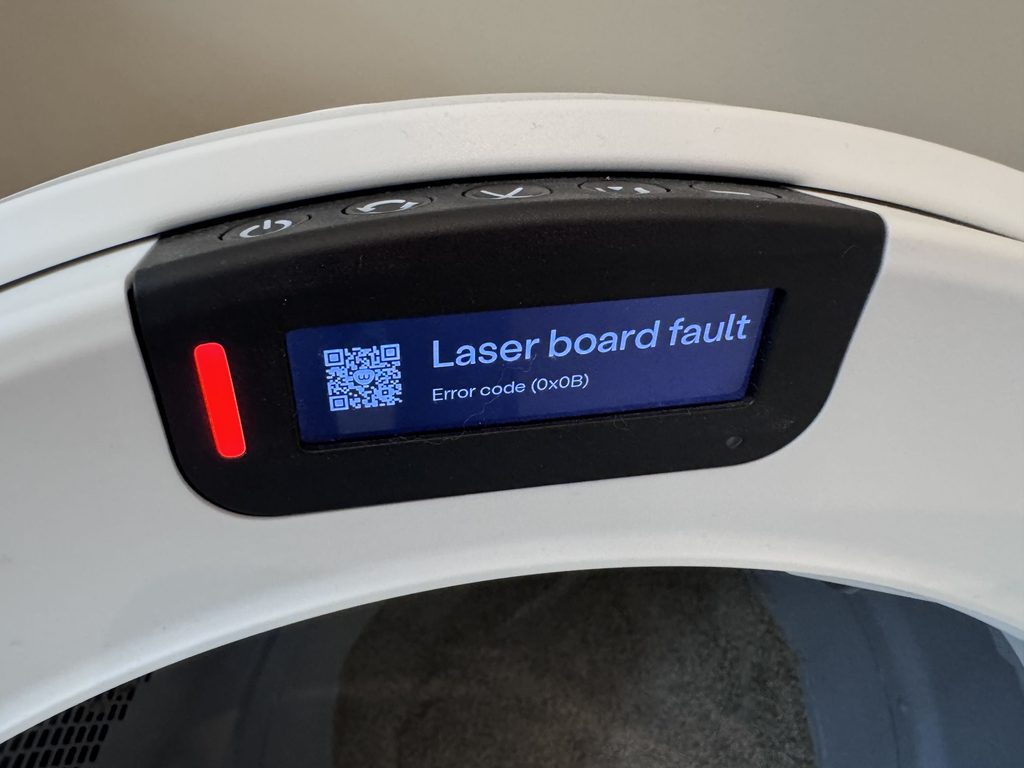
Litter-Robot 5, 5 Pro, and EVO: Light and Screen Reference
Because these units narrate the actual problem on their LCD screen, the light color itself only tells you the severity, not the specifics. Use it as a quick triage, then read the screen for the real message.
| Light / Screen | Meaning |
|---|---|
| White solid | Normal operation, robot is ready or working correctly |
| Yellow | Needs attention but is still functioning, examples include connectivity or drawer capacity notices |
| Green blinking | Weight detected in the globe, usually a cat entering or exiting, cycle delay countdown begins after they leave |
| Red | An error is blocking the robot from cycling until it's resolved |
| LCD: "Disconnected" or "Reconnecting" | Lost WiFi connection, robot is attempting to reconnect automatically |
| LCD: Drawer full | Waste drawer is full. Empty it, press Cancel to dismiss |
| LCD: Extended scale activity | Continuous weight detected on the base for 30+ minutes, reposition on a level surface then press Cancel |
| LCD: Power fault | Robot isn't receiving stable power, check the outlet and the original Whisker adapter |
| LCD: Position fault | Robot can't confirm globe position, common after reassembly following a deep clean |
| LCD: Motion in drawer | Movement detected in the waste drawer, robot rotates to the dump position to check |
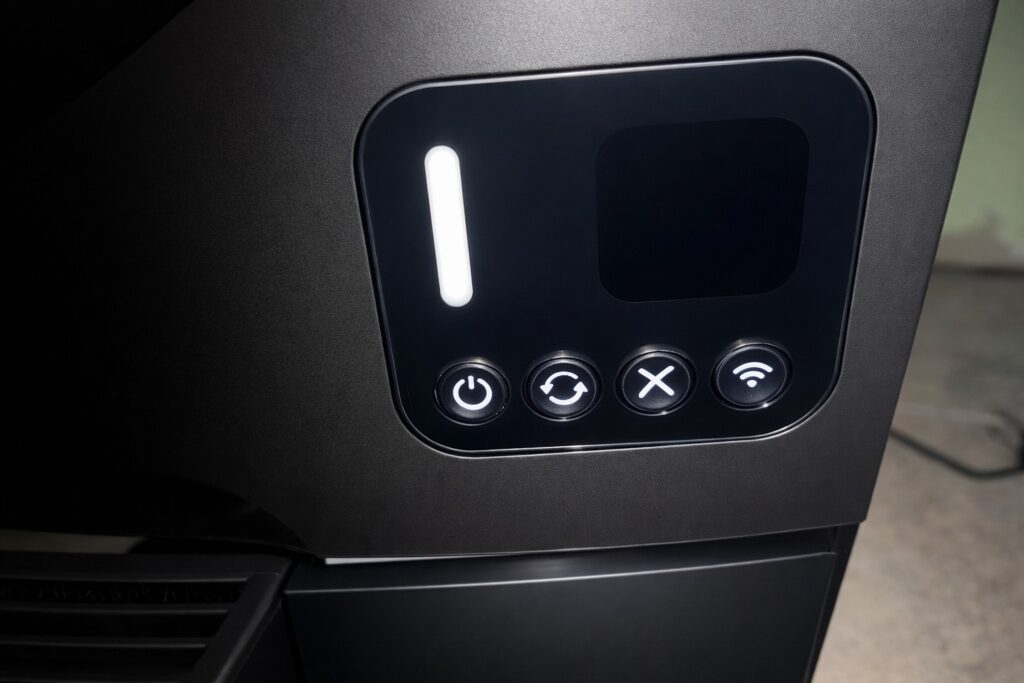
If you own an EVO specifically, don’t be surprised if the screen mostly stays dark day to day. More than one owner has reported the black panel only really lighting up during onboarding, with routine status handled almost entirely by the LED color and the Whisker app’s Device Activity log rather than on-screen text. The app logs the same events the screen would otherwise show, things like "Waste Drawer Full," "Cycle Complete," and "Cycle Interrupted," with a timestamp, so it’s worth checking there before assuming the unit went silent on you. No app handy? Fall back on the LED colors above. Either way, nothing’s wrong with your unit if the screen itself stays blank most of the time.
What's Actually Causing It
Here's where this guide earns its place on your bookmarks bar. Whisker's support articles are accurate about what a light means. What they're thin on is what's actually behind it, and the causes real owners find are frequently not the ones the official explanation implies. This section covers the highest-traffic faults, ranked by how often they actually show up in owner reports.
Pinch Errors: Yellow Ping-Pong (LR4)
This is one of the two or three faults people land on this page for most often. The official explanation is straightforward: the pinch detector activated. The real causes, in the order owners actually find them, look quite different.
By far the most common cause is litter working its way into the pinch sensor recess itself. Over months of use, fine litter dust migrates underneath the globe and settles into the exact spot where the pinch sensor lives. Owners describe a maddening cycle: vacuum the area, the error clears, it works fine for a few days, then it's back. That's not a coincidence or bad luck. It's the sensor doing exactly what it's supposed to do when there's debris in its path, over and over, because the debris keeps coming back until the underlying litter migration is addressed.
The second most common cause is oxidation on the contact points themselves, which is where the single most useful fix in this entire guide comes in.
Electrical contact cleaner, a cheap, widely available item from any hardware store, resolves a large share of pinch and bonnet-related sensor errors that owners report across the network. The underlying principle is simple: dirty or oxidized contact points cause exactly this kind of intermittent, recurring fault, and a can of contact cleaner clears it in minutes so you can quickly test whether it worked. If your unit is still under warranty, know that this is a DIY fix Whisker doesn’t officially endorse, and their terms note that modifications affecting original function may void coverage. If you’re out of warranty, it’s genuinely worth trying before ordering a replacement part.
Other real causes worth knowing about, roughly in order of how often they show up: waste smeared directly onto the sensors, usually from a cat with looser stools than usual, which needs a manual clean rather than a parts order. A failed DFI or pinch connector assembly, which is a real hardware failure, though owners frequently report that replacing the part doesn't fully resolve the issue on the first try, so treat a part swap as a possibility, not a guarantee. And occasionally, a pinch notification with nobody home and nothing obviously wrong, which is usually a one-off sensor hiccup rather than a pattern worth chasing.
One honest note on the reader question everyone eventually asks: people do ask whether the pinch sensor can be disabled or bypassed. We're not going to walk through how, and we'd tell you not to even if we knew the exact steps. The anti-pinch sensor is a cat-safety device, full stop. If you're dealing with chronic false triggers, the fix is cleaning and, if needed, part replacement, not disabling the one system standing between the globe and your cat's safety.
"Waste Drawer Full" When It Clearly Isn't (Blue Flashing, LR4 DFI)
This one frustrates owners more than almost any other fault, because the drawer is visibly half-empty and the light insists otherwise.
The most common cause, and the easiest to fix, is the liner bag itself. Dark or heavily wrinkled liner bags interfere with how the DFI sensors read weight and fullness. White bags in the 10 to 13 gallon range, pressed flat against the sides and bottom of the drawer rather than left puffy, resolve a large share of false "drawer full" alerts on their own.
The second most common cause is a scale that never got zeroed after the last time you emptied the drawer. This is genuinely model-specific, and getting it wrong is worse than not knowing at all, so here's the exact distinction: on the LR4, you empty the drawer and press Reset, then Cycle. On the LR5, 5 Pro, and EVO, the equivalent action uses the Cancel button instead. Whisker changed the button layout between generations, and using the LR4 sequence on a newer unit (or vice versa) simply won't do anything.
Beyond those two, the DFI circuit boards themselves are open on the bottom and prone to collecting contamination over time, which is another spot where contact cleaner earns its keep. Whisker also publishes a dedicated DFI calibration article that almost no owner seems to know exists. If you've cleaned everything and re-zeroed the scale and you're still getting false fulls, running that calibration is worth doing before you assume a sensor has failed.
A cautionary tale worth taking seriously: more than one owner troubleshooting a false drawer-full alert has made things worse by pressing buttons in whatever order seemed logical in the moment, rather than following Whisker's documented sequence. One report described a unit that ended up cycling through nearly every light pattern the machine has, before landing on a lost factory scale calibration, on a unit that had run flawlessly for three years up to that point. The lesson here is simple: work the documented button sequence for your model, don't improvise.
Globe Jammed or Overloaded (Red + Flashing Yellow, LR4 Over-Torque)
Whisker's own official over-torque article correctly explains that the unit is monitoring motor current and detects resistance it shouldn't be seeing. What it's less specific about is what actually creates that resistance in the first place, and this is where the single best mechanical insight in the whole guide lives.
It's litter weight and density, not litter volume, that trips this fault. Two owners can fill their globes to the exact same line and get completely different results, because a dense clumping litter shifts differently as the globe rotates than a lighter one does. Owners who switched to a lighter, less dense litter, or simply filled slightly below the max line with a heavier brand, reported the fault disappearing entirely at the same point in the cycle where it had been failing every time before.
Overfilling generally is the single biggest driver of this fault category overall. Filling only to the raised max line inside the globe, not eyeballing it against the outside of the unit, avoids most of it from the start.
Less common but worth knowing: a gear that's slipped slightly on the motor shaft, missing felt pads around the dump aperture, an unusually large deposit that briefly convinces the unit a cat is still inside, or the metal plate at the bottom of the liner working itself loose and interfering with rotation.
The Empty-Globe Test. If your unit is throwing a jam or over-torque fault, run one full cycle with the globe completely empty. If it completes cleanly, the motor itself is healthy and you’re dealing with a load, litter, or sensor problem, not a mechanical one. If it fails even empty, the issue is likely the motor, gear, or magnets, and it’s worth escalating toward a part replacement rather than continuing to adjust litter type or fill level.
Anti-Pinch Fault at Power-Up (Green + White Alternating, LR4)
This one is rare enough that most owners have never seen it, but when it happens, support tends to jump straight to recommending a full base replacement. One particularly well-documented case is worth walking through, because it teaches a diagnostic approach that applies far beyond this single fault.
An owner with a unit just over a year old, immediately flashing green and white on power-up before the globe even attempted to move, tested both pinch microswitches with a multimeter. Both switches worked electrically. But when the unit was powered on, pressing the right pinch sensor changed the light bar's color as expected, while pressing the left sensor did nothing at all.
A working switch that produces no response when the unit is powered on points downstream, not at the switch itself. That means the wiring harness or the main circuit board, not the sensor, is what troubleshooting should focus on next. That's a meaningfully cheaper starting point than a full base swap, and it's the kind of reasoning worth applying any time a part tests fine in isolation but doesn't behave correctly once reassembled.
Also worth knowing: this exact fault shows up disproportionately often right after a deep clean or a move, which points toward a reassembly issue rather than a genuine hardware failure in a meaningful share of cases. If you've recently had the unit apart, recheck that everything seated correctly before assuming the worst.
Solid Blue But Completely Unresponsive (LR4)
This is rare, but it's genuinely baffling when it happens, because every light on the unit looks completely normal. Pressing Cycle does nothing.
One especially useful diagnostic came out of a case like this: breaking the cat sensor beam by hand, or pressing down on the weight sensor, turned the light bar red as expected, which meant the sensors themselves were working. The actual failure was upstream of that.
The Phone-Camera IR Check. Point your phone’s camera, not your own eyes, at the sensor board. Infrared emitters are invisible to the naked eye but show up clearly through most phone camera sensors. If you can see them flickering on the screen, the IR emitters are firing correctly and the problem lies elsewhere. This is free, it takes about ten seconds, and it rules out an entire category of guesswork.
Owners who've dealt with this fault describe it as a slow build rather than a sudden failure: an occasional false "no litter" reading weeks earlier, then intermittent sticking mid-cycle, then repeated pausing, and only then a complete stop. If you notice an odd one-off reading that clears itself, don't dismiss it. Faults in this category tend to escalate, and acting at the first sign saves you from a fuller failure down the line.
Low System Voltage (White + Partial Yellow, LR4)
This one points at the power supply, and it's genuinely worth testing rather than guessing. LR4 power supplies should read approximately 15 volts DC at a healthy state. A basic, inexpensive multimeter rules this out (or confirms it) faster and more cheaply than ordering any other part on spec.
The Sensor-Cleaning Problem, and a Correction Worth Knowing
A recurring frustration among LR4 and LR5 owners: repeated "clean your sensors" notifications that persist even after cleaning, sometimes even after a full factory reset.
The most likely explanation is that the cleaning method itself is off, not that the sensor has failed. Whisker's own guidance is to wipe the curtain sensor, inside the bezel, with a dry microfiber cloth only. Never wet it, and never vacuum directly over it. A surprising number of owners default to a damp cloth or compressed air out of habit, which can actually make the readings worse rather than better.
Whisker also publishes a dedicated OmniSense laser sensor calibration article that almost nobody seems to know exists. If a dry-cloth clean doesn't resolve repeated notifications, running that calibration is the next step before assuming hardware failure.
And one genuinely charming, genuinely useful thing to check: more than one owner chasing a "bonnet removed" error that wouldn't clear has pulled the bonnet off and found a spider had taken up residence in the gap. It sounds like a joke. It isn't. If you're getting an intermittent contact-related error and everything else checks out, take thirty seconds to actually look behind the panel before you order a part.
LitterHopper's Own Error Set
If you've added a LitterHopper to your unit, it's worth knowing that it introduces error patterns entirely its own, separate from anything the base unit generates on its own. Whisker maintains dedicated articles for "Bonnet Removed after installing LitterHopper" and "Scale Active 30 Minutes after installing LitterHopper" specifically because the hopper's added weight and mechanism interact with the base unit's sensors in ways that read as unrelated faults if you don't know to look there first.
Two things worth knowing beyond the codes themselves. First, litter incompatibility with the hopper can look exactly like a dispensing failure. Some litters, most notably certain natural clumping formulas, simply don't flow well through the hopper's mechanism and barely dispense even when everything is working correctly, which owners sometimes chase as a hardware fault when it's really a litter-choice issue. Second, third-party hopper extenders can unbalance the unit enough to corrupt the scale readings entirely, which is worth ruling out if you're using an aftermarket accessory alongside the hopper.
The Liner-Weight Mechanism Nobody's Written Up
This is a genuinely undocumented failure mode as far as we can tell, and it's specific enough that we want to flag it clearly. The waste drawer liner has a small weight sewn into it, designed to invert the liner during the dump cycle so waste drops cleanly into the bag rather than clinging to the sides. When that weight stops dropping correctly, clumps of litter can physically fuse to the liner instead of falling free.
Owners who've isolated this report that testing the globe rotation outside the unit, by hand, the weight drops every time, but reinstalled in the machine, it doesn't. If you're seeing litter bricks stuck to your liner after cycles that otherwise complete normally, this mechanism is worth checking before you assume it's a litter or fill-level issue.
The WiFi Myth That's Costing Nobody Anything
Here's a misconception we want to correct plainly, because it's actively circulating and it's steering people away from a purchase for the wrong reason: the idea that a Litter-Robot stops cycling the moment your WiFi drops.
Based on Whisker's own troubleshooting documentation, every "offline" scenario they describe is about the app losing connection to the unit, not the unit failing to cycle. The physical cycle, the sensors, the motor, the whole mechanical process, runs locally on the machine itself. WiFi controls remote monitoring, push alerts, and app-based settings changes. It does not control whether the globe turns.
If you're weighing a Litter-Robot purchase and a spotty home network is the thing giving you pause, that specific worry doesn't hold up. You'll lose your phone notifications during an outage, not your litter box's ability to do its job.
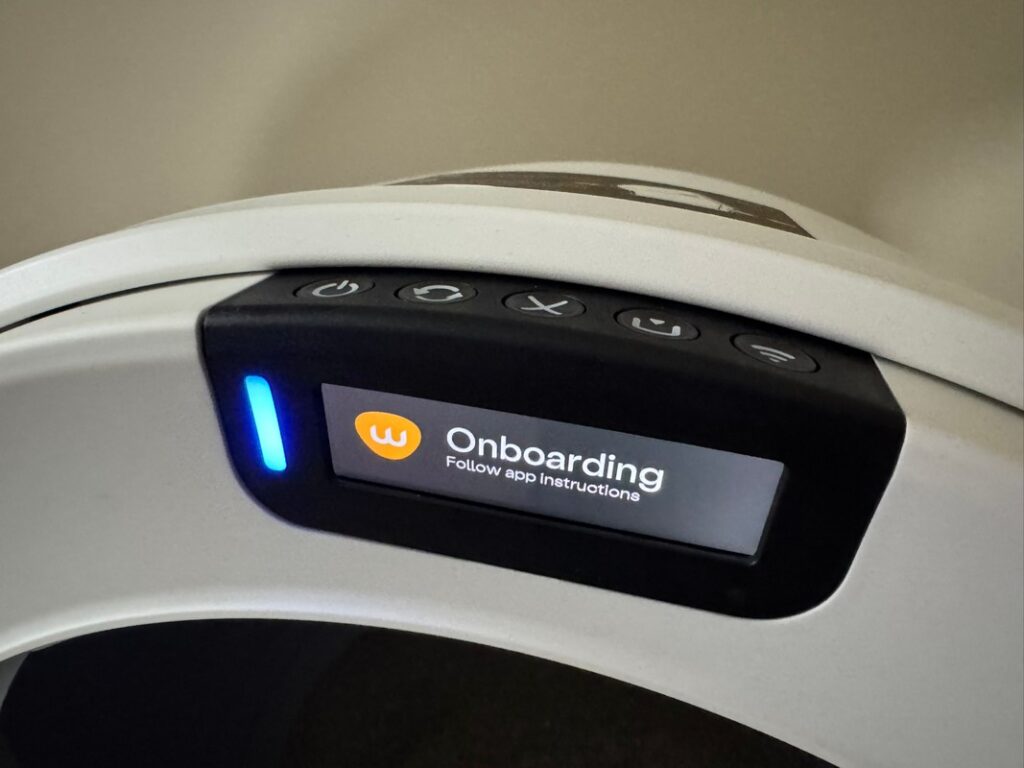
One related, practical note for second-hand buyers: units purchased used sometimes remain bound to the previous owner's account, which blocks onboarding until it's resolved. Whisker has an ownership transfer process specifically for this, so if you've picked up a used unit and can't get it to onboard, that's the first thing to look into rather than assuming a hardware problem.
The Escalation Ladder: Spend In This Order
This is the single most useful thing you can take from this entire guide, so we're putting it in its own section rather than burying it. Support conversations, understandably, tend to move toward the most reliable fix, which is often a full part or base replacement. Most owners never need to get there.
- Read the light code against your model's table above. Free.
- Power cycle the unit. Unplug for 30 seconds, then plug back in. Free.
- Vacuum stray litter from the base, the waste-hole recess, and the pinch area specifically. Free.
- Run the Empty-Globe Test described above to isolate a load problem from a motor problem. Free.
- Check your litter's type, weight, and fill level against the max line, remembering that density matters more than volume. Free.
- Check your liner bag color and fit, and re-zero the scale using the correct button for your model. Free.
- Run the Phone-Camera IR Check on the sensor board. Free.
- Dry-microfiber clean the curtain and OmniSense sensors, then run the official calibration if notifications persist. Free.
- Test the power supply with a basic multimeter, looking for roughly 15 volts DC. A small, one-time tool cost, and reusable for future faults.
- Replace seal strips if you're seeing tracking or odor issues alongside other faults. Low-cost.
- Run a Hard Reset. On LR4, hold Reset and Connect together for 3 seconds. On LR5, 5 Pro, and EVO, hold Power for 6 seconds. Both are official Whisker procedures, a different action from the simple power cycle in step 2, and worth trying before reaching for parts. Free.
- Apply electrical contact cleaner to bonnet, pinch, and DFI contacts, with the warranty caveat noted earlier in mind. This is a community-reported technique with no official Whisker backing, so it belongs here as a last resort before ordering parts, not a first-line fix. Low-cost, and reusable for future faults.
- Replace the DFI or pinch connector kit if contacts and cleaning haven't resolved a persistent sensor fault. A genuine parts purchase, priced through Whisker directly.
- Replace the wiring harness, particularly if you've diagnosed a downstream fault the way the multimeter case above did. A meaningfully smaller purchase than a full base swap.
- Replace the motor assembly, reserved for faults that fail even the Empty-Globe Test.
- Replace the base. This is the step support often suggests early, and it's the most expensive option on this entire list by a wide margin.
- Check your warranty status before spending on anything above. WhiskerCare covers mechanical and electrical breakdowns for one year standard, with an extended plan purchasable any time within that first year. If you're still inside that window, steps 13 through 16 may cost you nothing at all.
The sentence worth remembering from this whole guide: support conversations sometimes point toward step 16 fairly quickly. Steps 3 through 11 are free or genuinely low-cost, and they resolve the large majority of what owners actually report.
What Not To Do
A short section, because these are worth stating plainly rather than burying in the middle of a paragraph.
Don't button-mash while troubleshooting. Working through Whisker's documented sequence for your specific fault, even when it feels slow, is safer than pressing buttons in whatever order seems logical. Owners who've improvised their way through a fault have occasionally made things meaningfully worse, up to and including losing a factory scale calibration that couldn't be recovered.
Don't attempt a full base teardown as a first step. Some owners do go this far, and we're not going to pretend it never happens, but it's not something we'd recommend, and it puts any remaining warranty coverage at real risk. Everything in the escalation ladder above steps 12 through 14 involves far less disassembly than a full teardown, and it's worth exhausting those first.
Don't attempt to disable or bypass the pinch sensor. We've said this once already, but it's worth repeating on its own here: this is a cat-safety device, and chronic false triggers are a cleaning or parts problem, not a reason to remove the safeguard.
Frequently Asked Questions
Does my Litter-Robot need WiFi to actually cycle?
No. WiFi controls the app, push notifications, and remote settings changes. The physical clean cycle runs locally on the unit itself and works with or without an internet connection.
Does Whisker still sell or support the Litter-Robot 3?
No, not directly. Whisker discontinued the LR3 and 3 Connect from sale on its own site, and no longer offers extended warranty coverage for it. Replacement parts and the original LR3 support documentation are still available if you own one, but it's no longer a current product, which is why this guide focuses on the LR4 and LR5 family.
Can I disable the pinch sensor if it keeps false-triggering?
We wouldn't recommend it, and we're not going to walk through how. It's a cat-safety feature. Persistent false triggers point to a cleaning or hardware issue worth actually fixing, not a safeguard worth removing.
My waste drawer light says full but it's barely half full. What's going on?
Check your liner bag first. Dark or wrinkled bags interfere with the drawer-full sensors more than most owners expect. If the bag looks fine, make sure you've re-zeroed the scale using the correct button for your model (Reset on LR4, Cancel on LR5 and EVO) after your last emptying.
Is electrical contact cleaner actually safe to use on my Litter-Robot?
It's a widely reported, effective fix among owners, particularly for pinch and bonnet-related errors, but it's not something Whisker officially recommends, and their warranty terms note that modifications affecting original function may void coverage. If your unit is still under warranty, that's worth weighing before you reach for the can.
What's the difference between the Litter-Robot 4 and 5 light systems?
The LR4 uses a light bar alone, with complex patterns like ping-pong sweeps and round-robin chases carrying most of the meaning. The LR5, 5 Pro, and EVO simplified this considerably: a basic four-color light system paired with an LCD screen that spells out the actual message in plain text.
What does a purple light mean on my Litter-Robot?
On the LR4, solid purple simply means Sleep Mode. It's not an error, and there's nothing to fix. It clears on its own the next time the unit is scheduled to be active, or as soon as you wake it manually.
My Litter-Robot is jamming at the exact same point in the cycle every time. Why?
This points toward litter density rather than fill level in most cases. Two litters filled to the identical line can behave completely differently as the globe rotates, depending on how heavy and dense they are. Try a lighter litter, or fill slightly below the max line with your current one, before assuming a mechanical fault.
How do I know if a fault is the motor or something else?
Run the Empty-Globe Test described earlier in this guide. Cycle the globe completely empty. If it completes without issue, you're dealing with a load, litter, or sensor problem rather than a motor problem.
Bottom Line
Milo's Litter-Robot 5 Pro has thrown exactly one light in six months of ownership, and it turned out to be nothing more than a brief WiFi reconnect, cleared on its own within minutes. Genuinely, that's the whole list. No jams, no false drawer-fulls, no mystery blinking. If your experience has looked anything like mine, this guide probably isn't solving a problem you actually have right now, and that's a good thing.
But TechnoMeow readers own Litter Robot 4s that have been running for years, not months, and across that much more time and that many more units, real faults do turn up. That's who most of this guide is for. Read the pattern against the right table for your model, work the escalation ladder in order, and don't let a support conversation talk you into step 15 before you've actually tried steps 3 through 11.
And honestly? If your unit is still throwing the same fault after you've worked through everything here, that's exactly the point where a support ticket, or your warranty, earns its keep. But you shouldn't have gotten there feeling stuck and unsure what a blinking light even meant in the first place. That's the whole point of putting this together: nobody should have to feel stranded by their own litter box.
|
Most Advanced
|
Mid-Range Option
|
Most Affordable
|
|
Whisker’s most advanced litter box yet. The Litter-Robot 5 Pro adds dual 1080p cameras, AI-powered cat recognition, and deeper Whisker+ insights to track bathroom habits and health trends. It’s a self-cleaning litter box that actually learns from your cat—delivering next-level convenience and peace of mind for tech-savvy pet parents. ⭐ BEST PRICE ON THE WEB⭐ SAVE UP TO $150! |
Meet the next generation of smart litter boxes. The Litter-Robot 5 features a sleek LCD display, redesigned waste drawer for fewer empties, customizable lights, and better odor control than ever. Multi-cat ready and app-connected, it’s the perfect balance of convenience, performance, and modern design for any cat household. ⭐ BEST PRICE ON THE WEB⭐ SAVE UP TO $150! |
The most compact self-cleaning litter box from Whisker, perfect for smaller homes or 1–2 cats. The EVO keeps the same reliable automatic scooping, odor control, and Whisker app connectivity you know and love—just in a streamlined design that fits anywhere. Enjoy a cleaner home, fresher air, and less daily maintenance. BEST PRICE ON THE WEB SAVE UP TO $150! |
Whisker’s most advanced litter box yet. The Litter-Robot 5 Pro adds dual 1080p cameras, AI-powered cat recognition, and deeper Whisker+ insights to track bathroom habits and health trends. It’s a self-cleaning litter box that actually learns from your cat—delivering next-level convenience and peace of mind for tech-savvy pet parents.
⭐ BEST PRICE ON THE WEB⭐
SAVE UP TO $150!
Meet the next generation of smart litter boxes. The Litter-Robot 5 features a sleek LCD display, redesigned waste drawer for fewer empties, customizable lights, and better odor control than ever. Multi-cat ready and app-connected, it’s the perfect balance of convenience, performance, and modern design for any cat household.
⭐ BEST PRICE ON THE WEB⭐
SAVE UP TO $150!
The most compact self-cleaning litter box from Whisker, perfect for smaller homes or 1–2 cats. The EVO keeps the same reliable automatic scooping, odor control, and Whisker app connectivity you know and love—just in a streamlined design that fits anywhere. Enjoy a cleaner home, fresher air, and less daily maintenance.
BEST PRICE ON THE WEB
SAVE UP TO $150!



Leave a Comment